10 Best Audio Interfaces For Recording Of 2026
Audio Interfaces For Recording — Reviews, Recommendations & Updated Buying Guide November 2026


Focusrite Scarlett 3rd Gen Audio Interface
Why We Love It


Audio Mixer 5 Channel BT Sound DJ Stereo Mixing Console USB
Why We Love It

Focusrite Scarlett Solo 4th Gen USB-C Audio Interface
Why We Love It
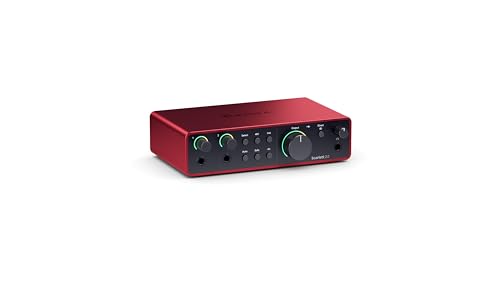
Focusrite Scarlett 2i2 4th Gen USB-C Audio Interface
Why We Love It
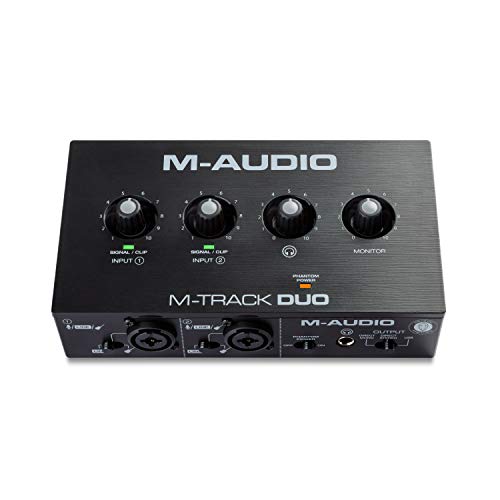
M-AUDIO M-Track Duo USB Audio Interface
Why We Love It

Behringer UMC202HD Audiophile 2x2
Why We Love It

Nalacal Recording Music Usb Audio Interface For Pc
Why We Love It

M-AUDIO M-Track Solo USB Audio Interface | XLR
Why We Love It

SKEIDO V8 Multifunctional Live Sound Card USB Audio
Why We Love It

Behringer U-Control Uca202 Usb Audio Interface
Why We Love It
Quick Pick
10 Best Audio Interfaces For Recording Of 2026
Quick Pick
Focusrite Scarlett 3rd Gen Audio Interface
Audio Mixer 5 Channel BT Sound DJ Stereo Mixing Console USB for Performance Stage Podcasting Recording PC 48V Phantom Power Reverb Effects
Focusrite Scarlett Solo 4th Gen USB-C Audio Interface
Focusrite Scarlett 2i2 4th Gen USB-C Audio Interface
M-AUDIO M-Track Duo USB Audio Interface
Behringer UMC202HD Audiophile 2x2, 24-Bit/192 kHz USB Audio Interface with Midas Mic Preamplifiers | For Recording Microphones and Instruments
Nalacal Recording Music Usb Audio Interface For Pc, Sound Card Studio, Computer With 3.5Mm Microphone Jack, Plug And Play
M-AUDIO M-Track Solo USB Audio Interface | XLR, Line and DI Inputs, Professional Software Suite for Recording, Streaming, and Podcasting
SKEIDO V8 Multifunctional Live Sound Card USB Audio Interface Intelligent Volume Adjustable Audio Mixer Sound Card for Recording Hosting Speech(not for PS5)
Behringer U-Control Uca202 Usb Audio Interface
Buying Guide: Audio Interfaces For Recording
📋 Table of Contents
1How many inputs do I actually need for my setup?
For solo recording, 2 inputs (1 for mic, 1 for instrument) are usually enough. If you plan to record bands or multiple sources at once, look for 4-8 inputs to avoid overloading your workflow with multiple passes.
2What's the difference between USB and Thunderbolt interfaces?
USB is widely compatible and sufficient for most home studios, while Thunderbolt offers faster data transfer and lower latency, ideal for large sessions with many tracks or plugins. Prioritize Thunderbolt if you use a high-end computer and DAW.
3Does preamp quality really affect my recordings?
Yes — high-quality preamps provide cleaner, warmer signal amplification, especially for vocals and acoustic instruments. Look for interfaces with at least 40dB of clean gain and a flat frequency response for accurate sound capture.
4What should I look for in a headphone output?
A dedicated headphone amp with at least 150-300 ohm output impedance ensures clear, distortion-free monitoring. Some interfaces let you adjust the volume independently from the main outputs, which is helpful for sharing mixes or tracking with multiple listeners.
5Are phantom power and MIDI support essential?
Phantom power (48V) is required for condenser mics, so it's a must if you use them. MIDI support is optional but useful if you plan to connect a keyboard or controller. Check if the interface has a dedicated MIDI I/O or uses USB for MIDI communication.
How we choose
Our editors are people who genuinely love testing and writing about products. We compare each product's real-world usability and strengths, then distill what matters most into our own "Why We Love It" points — so you get an honest, at-a-glance sense of what counts before you buy.