10 Best Audio Interfaces For Podcasting Of 2026
Audio Interfaces For Podcasting — Reviews, Recommendations & Updated Buying Guide November 2026


Universal Audio Volt 276 USB Audio Interface
Why We Love It


Audio Mixer 5 Channel BT Sound DJ Stereo Mixing Console USB
Why We Love It
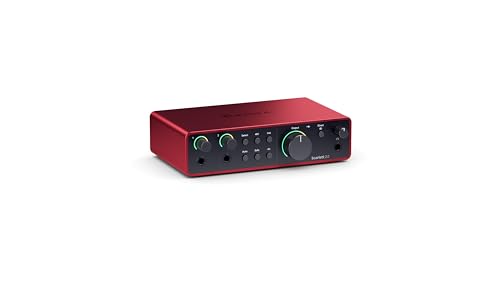
Focusrite Scarlett 2i2 4th Gen USB-C Audio Interface
Why We Love It

M-AUDIO M-Track Solo USB Audio Interface | XLR
Why We Love It
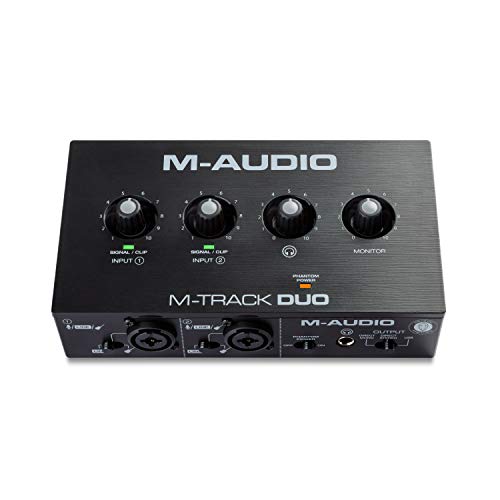
M-AUDIO M-Track Duo USB Audio Interface
Why We Love It

KASTWAVE 4 Channel Mixer for Streaming
Why We Love It
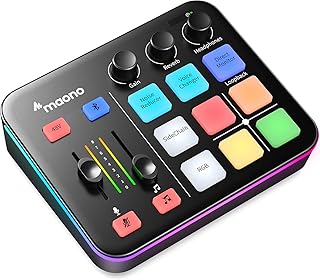
MAONO Gaming Audio Mixer
Why We Love It

Tascam US-2x2HR 2 Mic 2IN/2OUT High Resolution Versatile USB
Why We Love It

Focusrite Scarlett 3rd Gen Audio Interface
Why We Love It

Professional Audio Mixer
Why We Love It
Quick Pick
10 Best Audio Interfaces For Podcasting Of 2026
Quick Pick
Universal Audio Volt 276 USB Audio Interface
Audio Mixer 5 Channel BT Sound DJ Stereo Mixing Console USB for Performance Stage Podcasting Recording PC 48V Phantom Power Reverb Effects
Focusrite Scarlett 2i2 4th Gen USB-C Audio Interface
M-AUDIO M-Track Solo USB Audio Interface | XLR, Line and DI Inputs, Professional Software Suite for Recording, Streaming, and Podcasting
M-AUDIO M-Track Duo USB Audio Interface
KASTWAVE 4 Channel Mixer for Streaming, Professional Mini 4 Stereo Audio Mixer, Low Noise DJ Mixer, 48V Phantom Power, USB Audio Interface for Podcasting, Live Performance, Recording, DJ, PC
MAONO Gaming Audio Mixer, Audio Interface with Pro-preamp, RGB, Bluetooth, Sound Effects for Live Streaming, Podcasting, Content Create, Gaming MaonoCaster G1 NEO (BLACK)
Tascam US-2x2HR 2 Mic 2IN/2OUT High Resolution Versatile USB Audio Interface for Recording, Streaming, Podcasting, Songwriting
Focusrite Scarlett 3rd Gen Audio Interface
Professional Audio Mixer, Bluetooth Sound Board with XLR interface, Live Sound Card and Stereo Audio Interface, 48V Phantom Power, Voice Changer, for Podcasting, Live sound, recording Studio, Gaming
Buying Guide: Audio Interfaces For Podcasting
📋 Table of Contents
1How many inputs do I actually need for podcasting?
For solo podcasting, a single XLR input is usually enough. If you plan to record multiple guests or add instruments, look for at least two XLR inputs and possibly a line input for connecting a mixer or external audio source.
2What preamp quality should I prioritize?
Look for interfaces with clean, low-noise preamps that offer at least 40dB of gain. Higher-end models often include phantom power for condenser mics and better headroom to avoid distortion during loud vocal peaks.
3Is USB or Thunderbolt better for podcasting?
USB is sufficient for most podcasters due to its widespread compatibility and low latency. Thunderbolt offers faster data transfer and is better for multi-track setups, but it’s overkill for simple voice recordings and may require a compatible computer port.
4What latency is acceptable for voice recording?
Aim for latency under 10ms for real-time monitoring without noticeable delay. Most modern interfaces with ASIO or Core Audio drivers can achieve this, but avoid budget models that may introduce distracting lag during recording.
5Are phantom power and MIDI support worth including?
Phantom power (48V) is essential if you use condenser microphones, which are common in podcasting for their clarity. MIDI support is optional unless you plan to integrate digital instruments or controllers into your setup.
How we choose
Our editors are people who genuinely love testing and writing about products. We compare each product's real-world usability and strengths, then distill what matters most into our own "Why We Love It" points — so you get an honest, at-a-glance sense of what counts before you buy.