10 Best Arturia Midi Interfaces Of 2026
Arturia Midi Interfaces — Reviews, Recommendations & Updated Buying Guide November 2026


Arturia MiniLab 37 MIDI Keyboard Controller – 37 Slim Keys
Why We Love It


Arturia MiniLab 37 USB MIDI Controller 37-Key Keyboard
Why We Love It

Arturia MicroLab Mk3 Universal MIDI Controller
Why We Love It

Arturia MiniFuse USB Audio & MIDI Interface
Why We Love It

Arturia MicroLab MK3 Universal MIDI Keyboard Controller
Why We Love It

Arturia MiniFuse USB Audio & MIDI Interface
Why We Love It

Arturia MiniLab 3-25 Key USB MIDI Keyboard Controller With 8
Why We Love It
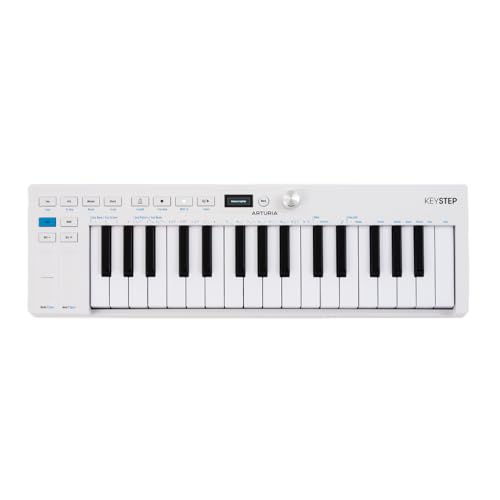
Arturia KeyStep Controller & Sequencer
Why We Love It
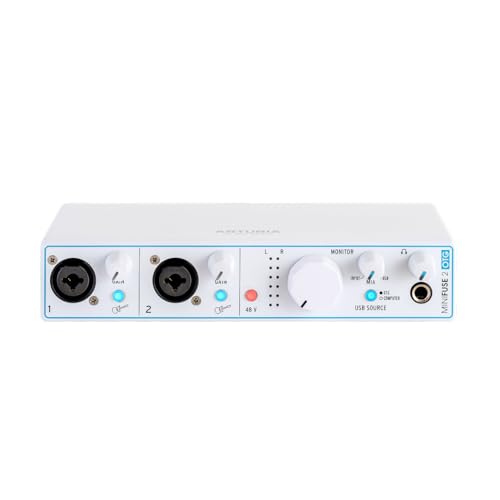
Arturia - MiniFuse 2 OTG
Why We Love It

Arturia Audiofuse Studio Audio Interface
Why We Love It
Quick Pick
10 Best Arturia Midi Interfaces Of 2026
Quick Pick
Arturia MiniLab 37 MIDI Keyboard Controller – 37 Slim Keys, 8 Pads, DAW Integration, Arpeggiator, Chord Mode, Portable Design, Music Production Software Included, White
Arturia MiniLab 37 USB MIDI Controller 37-Key Keyboard
Arturia MicroLab Mk3 Universal MIDI Controller, White
Arturia MiniFuse USB Audio & MIDI Interface, MiniFuse 2
Arturia MicroLab MK3 Universal MIDI Keyboard Controller – Black
Arturia MiniFuse USB Audio & MIDI Interface, MiniFuse 4
Arturia MiniLab 3-25 Key USB MIDI Keyboard Controller With 8 Multi-Color Drum Pads, 8 Knobs and Music Production Software Included, Aquamarine
Arturia KeyStep Controller & Sequencer, mk2-32 Key
Arturia - MiniFuse 2 OTG - Audio & MIDI Interface with Creative Software for Recording, Production, Podcasting, Guitar, USBC/USBA - White
Arturia Audiofuse Studio Audio Interface
Buying Guide: Arturia Midi Interfaces
📋 Table of Contents
1How many inputs do I actually need for my setup?
For solo producers, 2-4 inputs are usually enough for a microphone and instruments. If you record live bands or multiple sources at once, look for 8 or more inputs to avoid overloading your workflow.
2What’s the difference between USB and Thunderbolt connectivity?
USB is widely compatible and sufficient for most home studios, while Thunderbolt offers faster data transfer and lower latency, ideal for high-track-count projects. Prioritise Thunderbolt if you use a compatible computer and need real-time performance.
3Should I choose a MIDI interface with built-in audio I/O?
If you need to record audio and MIDI simultaneously, a hybrid interface with audio I/O can save space and money. However, if you already have a separate audio interface, a pure MIDI-only model will be more cost-effective and simpler to use.
4What MIDI ports are most useful for my needs?
Traditional 5-pin DIN ports are reliable for older gear, while USB-C or USB-A ports offer modern convenience and portability. Look for at least one DIN port if you plan to connect hardware synths or drum machines, and USB for DAW integration.
5Are MIDI interfaces with software bundles worth it?
Bundled DAWs and virtual instruments can be a great value for beginners, but if you already have your preferred software, skip the extras to save money. Check if the interface is compatible with your existing setup before purchasing.
How we choose
Our editors are people who genuinely love testing and writing about products. We compare each product's real-world usability and strengths, then distill what matters most into our own "Why We Love It" points — so you get an honest, at-a-glance sense of what counts before you buy.