10 Best Apple Thunderbolt Cables Of 2026
Apple Thunderbolt Cables — Reviews, Recommendations & Updated Buying Guide November 2026


Apple Thunderbolt 5 (USB‑C) Pro Cable (1m)
Why We Love It

Apple Thunderbolt 4 Pro Cable (3m)
Why We Love It

Apple Thunderbolt 4 Pro Cable (1.8m)
Why We Love It

SATECHI Thunderbolt 4 USB-C Cable
Why We Love It

Apple Thunderbolt 3 (USB-C) to Thunderbolt 2 Adapter
Why We Love It

Chenyang CY Thunderbolt Port to Thunderbolt Male to Male
Why We Love It

Belkin Thunderbolt 4 Cable (1M
Why We Love It

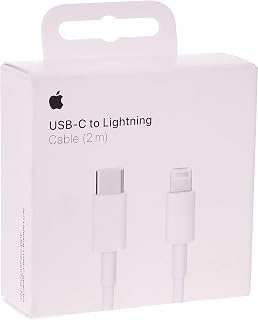
Apple USB-C to Lightning Cable (2m)
Why We Love It

UGREEN USB C to USB C Cable 240W USB4.0 40Gbps 8K@60Hz
Why We Love It

BENFEI USB-C to DisplayPort 6 Feet Cable(4K@60Hz 2K@144Hz)
Why We Love It
Quick Pick
10 Best Apple Thunderbolt Cables Of 2026
Quick Pick
Apple Thunderbolt 5 (USB‑C) Pro Cable (1m)
Apple Thunderbolt 4 Pro Cable (3m)
Apple Thunderbolt 4 Pro Cable (1.8m)
SATECHI Thunderbolt 4 USB-C Cable, 240W PD Charging, Intel-Certified, Black | 1 m/3.2 feet length, 8K display support, 40 Gbps data transfer, works with iPhone 17, MacBook Air/Pro/Neo, iPad Air/Pro
Apple Thunderbolt 3 (USB-C) to Thunderbolt 2 Adapter
chenyang CY Thunderbolt Port to Thunderbolt Male to Male Video Data Cable for MacBook 2013 2014 2015 2M
Belkin Thunderbolt 4 Cable (1M, 3.3ft Power Cable), USB-C to USB-C Cable w/ 100W Power Delivery, USB 4 Compliant, Compatible with 3, MacBook Pro, eCPU & More - Certified
Apple USB-C to Lightning Cable (2m)
UGREEN USB C to USB C Cable 240W USB4.0 40Gbps 8K@60Hz Display PD3.1 Fast Charging USB-C Charger Cable Compatible with USB-C Monitors, MacBook Pro M4, iPad Pro, iPhone 16 Pro Max, Galaxy S25, 1M | Type C Fast Charge PD 3.1, Compatible with Macbook HP, ASUS, iPhone 17 Pro Max Air/16/15, Galaxy S26/S25 Ultra, Monitor.
BENFEI USB-C to DisplayPort 6 Feet Cable(4K@60Hz 2K@144Hz), USB Type-C to DisplayPort Cable [Thunderbolt 3/4 Compatible] with iPhone 15 Pro/Max, MacBook Pro/Air 2023, iPad Pro, iMac, S23, XPS 17
Buying Guide: Apple Thunderbolt Cables
📋 Table of Contents
1What's the difference between Thunderbolt 3 and Thunderbolt 4 cables?
Thunderbolt 4 cables support faster data transfer (up to 40 Gbps vs 40 Gbps for TB3, but TB4 guarantees this speed), better power delivery (up to 100W), and improved video support. If you're using newer MacBooks or need maximum speeds for video editing, Thunderbolt 4 is worth it; older devices will work fine with Thunderbolt 3.
2How do I know which cable length I actually need?
Measure the distance between your Mac and the device or dock you'll be connecting most often—most people find 2m cables sufficient for desk setups, while 1m works for portable use. Keep in mind longer cables can slightly affect data transfer speeds, so avoid unnecessary length.
3Are third-party Thunderbolt cables safe, or should I stick with Apple originals?
Third-party cables from certified manufacturers (marked as MFi or with Thunderbolt certification) are generally safe and often cheaper, but cheaper knockoffs risk damaging your device. If you're connecting expensive equipment or doing professional work, Apple or certified alternatives offer peace of mind.
4Can I use a Thunderbolt cable for charging, or do I need something separate?
Thunderbolt cables support charging and data transfer simultaneously, so one cable handles both—you don't need separate chargers. Just ensure your power adapter supports the wattage your device needs (check your Mac's specs).
5What should I check before buying to make sure it's compatible with my Mac?
Verify your Mac has a Thunderbolt port (all modern MacBooks do, but check older models), then match the cable type to your needs—Thunderbolt 3 or 4 depending on your device and use case. Also check that any adapters or docks you plan to use are compatible with your cable type.
How we choose
Our editors are people who genuinely love testing and writing about products. We compare each product's real-world usability and strengths, then distill what matters most into our own "Why We Love It" points — so you get an honest, at-a-glance sense of what counts before you buy.