10 Best Apple Ipad Mini Tablets Of 2026
Apple Ipad Mini Tablets — Reviews, Recommendations & Updated Buying Guide November 2026


Apple 2024 iPad mini (Wi-Fi
Why We Love It


Apple 2024 iPad mini (Wi-Fi + Cellular
Why We Love It
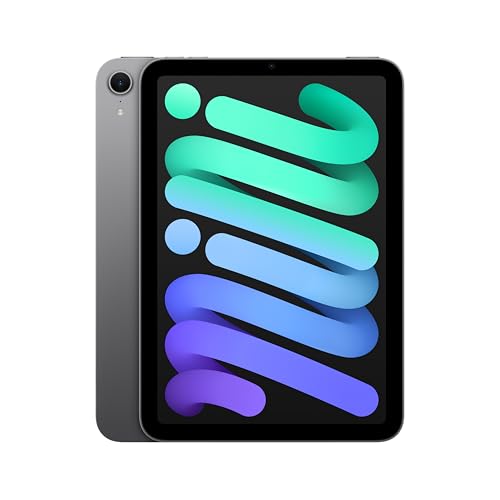
Apple 2024 iPad mini (Wi-Fi
Why We Love It
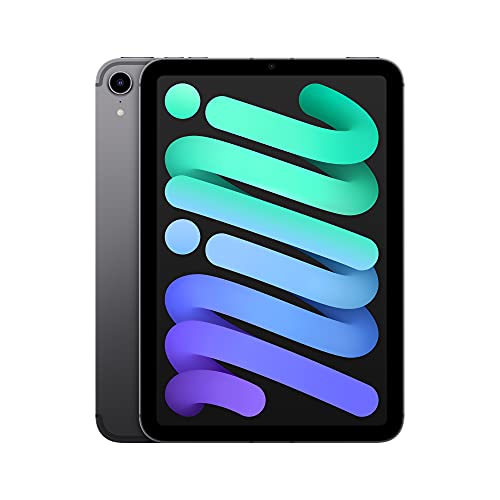
Apple 2021 iPad mini (8.3-inch
Why We Love It

FACE HUB Universal Stylus Pen for touch screens
Why We Love It

Stylus Pens for Touch Screens POM Tip Magnetic for iPad
Why We Love It

UGREEN Stylus Pen for iPad Tilt Sensitivity Strong Magnetic
Why We Love It

Xukinroy Ultra-Slim Bluetooth Keyboard Portable Mini
Why We Love It

Ultra-Slim Bluetooth Keyboard Portable Mini Wireless
Why We Love It

MoKo for iPad Mini A17 Pro Case 8.3 Inch 2024
Why We Love It
Quick Pick
10 Best Apple Ipad Mini Tablets Of 2026
Quick Pick
Apple 2024 iPad mini (Wi-Fi, 128GB) - Space Grey (7th generation)
Apple 2024 iPad mini (Wi-Fi + Cellular, 128GB) - Space Grey (7th generation)
Apple 2024 iPad mini (Wi-Fi, 512GB) - Space Grey (7th generation)
Apple 2021 iPad mini (8.3-inch, Wi-Fi + Cellular, 256GB) - Space Grey (6th Generation)
FACE HUB Universal Stylus Pen for touch screens, Passive Stylus pen Compatible with iOS and Android devices, iPad , iPhone laptop Samsung phones and tablets, for Drawing and Handwriting القلم (White)
Stylus Pens for Touch Screens POM Tip Magnetic for iPad Pencil Rechargeable Tablet Pencil Active Stylus Pen for iPad/Pro/Air/Mini/for iPhone and Other Smartphone Devices
UGREEN Stylus Pen for iPad Tilt Sensitivity Strong Magnetic Adsorption
Xukinroy Ultra-Slim Bluetooth Keyboard Portable Mini Wireless Keyboard Rechargeable for Apple iPad iPhone Samsung Tablet Phone Smartphone iOS Android Windows (10 inch Blue)
Ultra-Slim Bluetooth Keyboard Portable Mini Wireless Keyboard Rechargeable for Apple iPad iPhone Samsung Tablet Phone Smartphone iPadOS iOS Android (10 inch Black)
MoKo for iPad Mini A17 Pro Case 8.3 Inch 2024, iPad Mini 7th/6th Case 2021
Buying Guide: Apple Ipad Mini Tablets
📋 Table of Contents
1What screen size is best for my needs?
For reading, note-taking, and light media, 7-8 inches is compact and portable. For productivity, video streaming, or multitasking, 10-12 inches offers a better balance of screen real estate and portability. Larger tablets are heavier and harder to use one-handed.
2How much storage do I really need?
64GB is sufficient for basic use with cloud backups, but 128GB or more is better for storing apps, photos, and videos locally. If you work with large files or take many photos, look for at least 256GB or expandable storage options.
3What battery life should I expect from a good tablet?
Most modern tablets offer 8-12 hours of active use, depending on screen brightness and app usage. For all-day use without a charger, aim for at least 10 hours of battery life under normal conditions like web browsing and video playback.
4Is a stylus worth the extra cost?
A stylus is essential for drawing, note-taking, or precise input, but not needed for casual use. Built-in stylus support (like magnetic charging) is more convenient than a separate stylus that requires charging or replacement.
5What's the difference between a 720p and 1080p display?
A 1080p display (Full HD) shows sharper text and images, especially on larger screens, while 720p is adequate for smaller tablets and basic tasks. For reading, video, or photo editing, 1080p or higher (like 2K) is a better long-term investment.
How we choose
Our editors are people who genuinely love testing and writing about products. We compare each product's real-world usability and strengths, then distill what matters most into our own "Why We Love It" points — so you get an honest, at-a-glance sense of what counts before you buy.