10 Best Apple 2026 Macbook Air Of 2026
Apple 2026 Macbook Air — Reviews, Recommendations & Updated Buying Guide November 2026


Apple 2026 MacBook Air 13-inch Laptop with M5 chip: AI and
Why We Love It


Apple 2026 MacBook Air 15-inch Laptop with M5 chip: AI and
Why We Love It
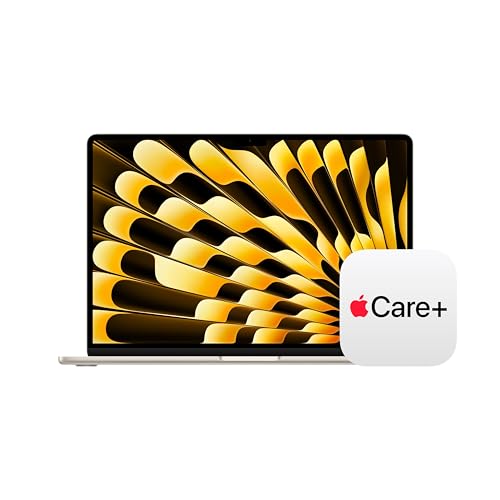
Apple 2026 MacBook Air 15-inch Laptop with M5 chip: AI and
Why We Love It
Quick Pick
10 Best Apple 2026 Macbook Air Of 2026
Quick Pick
Apple 2026 MacBook Air 13-inch Laptop with M5 chip: AI and Apple Intelligence, 13.6-inch Liquid Retina Display, 16GB Unified Memory, 512GB SSD Storage, 12MP Center Stage Camera; ;English
Apple 2026 MacBook Air 15-inch Laptop with M5 chip: AI and Apple Intelligence, 15.3-inch Liquid Retina Display, 16GB Unified Memory, 512GB SSD Storage, 12MP Center Stage Camera; Midnight;Arabic
Apple 2026 MacBook Air 15-inch Laptop with M5 chip: AI and Apple Intelligence, 15.3-inch Liquid Retina Display, 16GB Unified Memory, 1TB SSD Storage Starlight;Arabic with AppleCare+(3 Years)
Buying Guide: Apple 2026 Macbook Air
📋 Table of Contents
1What's the difference between the M4 and M4 Pro chips in the 2026 MacBook Air?
The M4 handles everyday tasks like browsing, email, and light video editing smoothly, while the M4 Pro adds extra cores for faster performance in video rendering, 3D design, and programming. Choose the M4 Pro only if you regularly work with heavy applications—otherwise the base M4 saves money without real-world slowdowns.
2Should I get 16GB or 24GB of RAM?
16GB is sufficient for most users doing web design, content creation, and multitasking. Go for 24GB if you're running multiple heavy applications simultaneously, working with large video files, or planning to keep the laptop for 5+ years.
3Is 512GB storage enough, or should I upgrade to 1TB?
512GB works if you use cloud storage (Google Drive, OneDrive) and don't keep large video projects locally. Jump to 1TB if you work offline frequently, edit 4K video, or prefer keeping your entire media library on the machine.
4What should I check before buying to make sure I'm getting a genuine MacBook Air?
Verify the serial number on Apple's official website, check that the box and packaging look pristine, and buy from authorized retailers. The 2026 model should have the latest build date and come with proper documentation—avoid listings that seem unusually discounted or lack complete packaging.
5Is the 13-inch or 15-inch MacBook Air better for my needs?
The 13-inch is portable and great for travel or student use, while the 15-inch gives more screen space for design work and video editing. If you move between locations frequently, stick with 13-inch; if you dock it at a desk most of the time, the extra screen real estate on 15-inch justifies the larger footprint.
How we choose
Our editors are people who genuinely love testing and writing about products. We compare each product's real-world usability and strengths, then distill what matters most into our own "Why We Love It" points — so you get an honest, at-a-glance sense of what counts before you buy.