10 Best Ampligame D6 Stream Controllers Of 2026
Ampligame D6 Stream Controllers — Reviews, Recommendations & Updated Buying Guide November 2026


FIFINE AmpliGame D6 White Gaming Controller with 15 Shortcut
Why We Love It


FIFINE AmpliGame D6 Stream Controller with 15 Macro Keys
Why We Love It

Streonor Stream Controller S10 Studio Deck with 10 Keys
Why We Love It

Case for FIFINE AmpliGame D6 Stream Controller with 15 Macro
Why We Love It
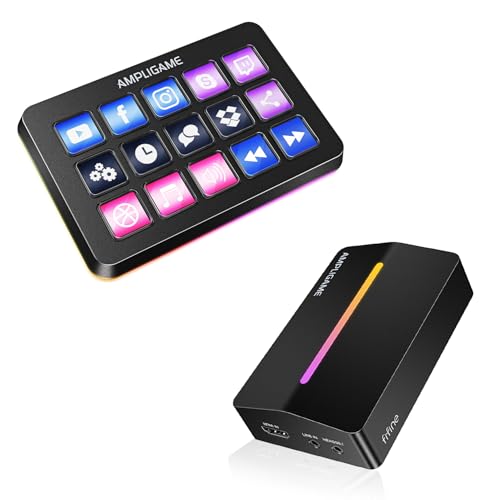
Fifine AmpliGame Stream Controller with Video Capture Card
Why We Love It

Stand Fits Fifine Ampligame D6
Why We Love It

Under-Desk Sliding Mount Bracket Compatible with Fifine
Why We Love It

Desktop Stand Compatible with Fifine D6 AmpliGame
Why We Love It

Controller Holder for Fifine AmpliGame D6/SpaceMouse
Why We Love It
Quick Pick
10 Best Ampligame D6 Stream Controllers Of 2026
Quick Pick
FIFINE AmpliGame D6 White Gaming Controller with 15 Shortcut Buttons
FIFINE AmpliGame D6 Stream Controller with 15 Macro Keys, Trigger Actions | Streaming Keyboard for OBS, Twitch/YouTube/Streamlabs, Shortcut Buttons Keypad, MAC and PC
Streonor Stream Controller S10 Studio Deck with 10 Keys Touchbar 4 Knobs
Case for FIFINE AmpliGame D6 Stream Controller with 15 Macro Keys, Box Only
Fifine AmpliGame Stream Controller with Video Capture Card Bundle, Gaming Keyboard with 15 Macro Keys, Trigger Actions, 4K HDMI Capture Card Set Compatible with PS4/PS5, OBS Studio (D6+V3 Black)
Stand Fits Fifine Ampligame D6, Desktop Base with Non‑Slip Rubber Feet
Under-Desk Sliding Mount Bracket Compatible with Fifine Ampligame D6
Desktop Stand Compatible with Fifine D6 AmpliGame | Deck Base
Controller Holder for Fifine AmpliGame D6/SpaceMouse
Buying Guide: Ampligame D6 Stream Controllers
📋 Table of Contents
1What input options should I look for in a stream controller?
Most stream controllers support USB and Bluetooth for connecting to PCs or mobile devices. For voice commands, check if it works with major voice assistants. Some models also offer MIDI compatibility for advanced users or music creators.
2How many programmable buttons are enough for my needs?
Beginners can start with 12-16 buttons, while advanced streamers or content creators often prefer 20-30 for custom macros, scene switches, and overlays. More buttons mean more control, but also a steeper learning curve for setup.
3Is a built-in LCD screen worth the extra cost?
An LCD screen lets you preview overlays, adjust settings, or display custom graphics without switching to your main screen. It’s ideal for on-the-fly changes during streams, but not essential if you use a secondary monitor or phone for monitoring.
4What software compatibility should I check before buying?
Look for controllers that work with popular streaming platforms and software like OBS, Streamlabs, or vMix. Some require proprietary apps for full functionality, so ensure the software is user-friendly and regularly updated for your setup.
5Can I use a stream controller for purposes beyond live streaming?
Yes — many models support gaming macros, music production, or even smart home automation. If you want versatility, choose a controller with customizable profiles and broad software support for different workflows.
How we choose
Our editors are people who genuinely love testing and writing about products. We compare each product's real-world usability and strengths, then distill what matters most into our own "Why We Love It" points — so you get an honest, at-a-glance sense of what counts before you buy.