10 Best Amazon Tv Sticks Of 2026
Amazon Tv Sticks — Reviews, Recommendations & Updated Buying Guide November 2026


Excefore Replacement 3rd-Gen Voice Remote Control for Amazon
Why We Love It


Xiaomi TV Stick 4K (2nd Gen)
Why We Love It

Xiaomi Mi TV Stick 4K
Why We Love It

Roku Streaming Stick Plus
Why We Love It

Roku (Renewed) Streaming Stick 4K 2021
Why We Love It

Amazon Basics 4K HDMI Cable 180 cm
Why We Love It

Firee, TV Stick 4K, 8GB, Wi-Fi 6
Why We Love It

Mi TV Stick 4K (2nd Gen) with Google TV – 4K UHD 60fps
Why We Love It

EpicArma Vision Full HD ANDROID STICK 1080p Remote with
Why We Love It
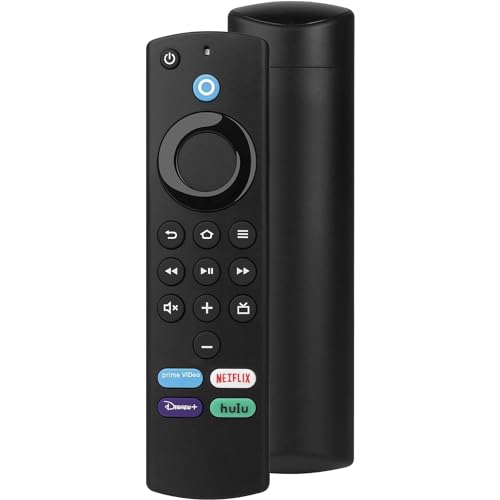
HWLFSZ L5B83G Replace Voice Remote (3rd GEN) Fit for Amazon
Why We Love It
Quick Pick
10 Best Amazon Tv Sticks Of 2026
Quick Pick
Excefore Replacement 3rd-Gen Voice Remote Control for Amazon Fire TV Stick Max Sub L5B83H L5B83G - 2nd-Gen Voice Remote
Xiaomi TV Stick 4K (2nd Gen)
Xiaomi Mi TV Stick 4K, Mi Streaming Android TV Stick, Built-in Chromecast, IR Bluetooth Remote Control Compatible with Google Vocal Assistant, Supports Dolby Atmos, Dolby Vision and DST HD, Black
Roku Streaming Stick Plus
Roku (Renewed) Streaming Stick 4K 2021, Streaming Device 4K/HDR/D. Vision with Roku Voice Remote and TV Controls
Amazon Basics 4K HDMI Cable 180 cm, 3 pack - 18Gbps High Speed with Ethernet, 4K@60Hz, 2160p, Black
Firee, TV Stick 4K, 8GB, Wi-Fi 6, Streaming Media Player with Voice Remote
Mi TV Stick 4K (2nd Gen) with Google TV – 4K UHD 60fps, HDR10+, WiFi 6, Bluetooth 5.2, Voice Remote, Chromecast Built-in, 2GB RAM, 8GB Storage
EpicArma Vision Full HD ANDROID STICK 1080p Remote with Dual-Band WiFi & BT5.0, 4K Support, Android 14, Google Assistant Remote & Chromecast Built-in
HWLFSZ L5B83G Replace Voice Remote (3rd GEN) Fit for Amazon Smart TV Stick 2nd Gen, 3rd Gen, Lite, 4K, Fit for Amazon Smart TV Cube 1st Gen, Fit for Amazon Smart TV 3rd Gen
Buying Guide: Amazon Tv Sticks
📋 Table of Contents
1What resolution and refresh rate should I look for?
Opt for at least 1080p HD, but 4K UHD is ideal for larger screens and sharper visuals. A 60Hz refresh rate is standard, but 120Hz models offer smoother motion for sports or gaming if your TV supports it.
2Does the streaming stick support voice control?
Yes — a built-in microphone enables voice commands for searching, launching apps, or adjusting volume. It’s especially handy for hands-free use and works best with compatible voice assistants.
3How much storage space do I actually need?
Most apps install to the cloud, but 8GB of onboard storage is typical and sufficient for offline downloads or app caching. If you plan to download many shows, look for 16GB or more for extra space.
4What streaming platforms are usually included?
Most sticks come with popular apps like YouTube, Netflix, and Spotify pre-installed. Check if the model supports niche services you use, like Disney+ or Twitch, to avoid needing extra devices or subscriptions.
5Is a remote necessary, or can I use my phone?
Many sticks offer a companion app that turns your phone into a remote, which is convenient and avoids losing a physical one. However, a dedicated remote with a directional pad is better for precise navigation and gaming.
How we choose
Our editors are people who genuinely love testing and writing about products. We compare each product's real-world usability and strengths, then distill what matters most into our own "Why We Love It" points — so you get an honest, at-a-glance sense of what counts before you buy.