10 Best Alienware Aw2725df Of 2026
Alienware Aw2725df — Reviews, Recommendations & Updated Buying Guide November 2026


Alienware Gaming Monitor AW2725DF
Why We Love It


Alienware 27 Gaming Monitor - AW2725D
Why We Love It

Dell Alienware AW2725DF 27" Gaming Monitor - QHD (2560x1440)
Why We Love It

ASUS ROG Strix XG27AQDMGR
Why We Love It

Alienware 27 Gaming Monitor - AW2726DM
Why We Love It

Alienware 27 Gaming Monitor - AW2725DM
Why We Love It

Alienware 27 Gaming Monitor - AW2725Q
Why We Love It

ASUS TUF Gaming Series 5 VG279QML5A Gaming Monitor: 27-inch
Why We Love It
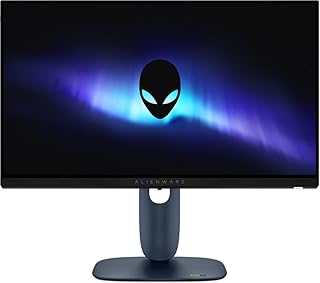
Alienware 25 Gaming Monitor - AW2525HM
Why We Love It

LG 27GX700A-B 27-inch Ultragear QHD (2560 x 1440) OLED
Why We Love It
Quick Pick
10 Best Alienware Aw2725df Of 2026
Quick Pick
Alienware Gaming Monitor AW2725DF, 27 Inch QD-OLED (2560x1440), 360Hz, Fast IPS, 0.03ms, AMD FreeSync Premium Pro, 99.3% DCI-P3, HDR 400, DisplayPort, 2x HDMI, 3x USB, 3 Year Warranty, Black | 0.03ms, AMD FreeSync Premium Pro, 99.3% DCI-P3, HDR400, USB-C, 2 DisplayPort, HDMI, 4 USB, 3 Year Warranty
Alienware 27 Gaming Monitor - AW2725D, QHD (2560x1440), 280Hz, QD OLED, 0.03ms, NVIDIA G-SYNC Compatible, AMD FreeSync Premium Pro, HDR True Black 400, USB-C, DisplayPort, 2 HDMI, 3 Year Warranty
Dell Alienware AW2725DF 27" Gaming Monitor - QHD (2560x1440), 280Hz OC, 1ms GtG, Nano IPS, NVIDIA G-SYNC & AMD FreeSync Premium Pro, HDMI/DP/USB, AlienFX RGB Lighting, Adjustable Stand 3Y Warranty
ASUS ROG Strix XG27AQDMGR - OLED-Monitor - Gaming - 68.6 cm (27")
Alienware 27 Gaming Monitor - AW2726DM, QHD (2560x1440), 240Hz, QD OLED, 0.03ms, AMD FreeSync Premium, VESA AdaptiveSync, 99% DCI-P3, HDR10, DisplayPort, 2 HDMI, 3 Year Warranty | 0.03ms, AMD FreeSync Premium, VESA AdaptiveSync, 99% DCI-P3, HDR10, DisplayPort, 2 HDMI, 3yr Warranty
Alienware 27 Gaming Monitor - AW2725DM, QHD (2560x1440), 180Hz, Fast IPS, 1ms, Compatible with NVIDIA G-Sync, AMD FreeSync, 95% DCI-P3, HDR400, DisplayPort, 2 HDMI, 3 USB, 3 Year Warranty
Alienware 27 Gaming Monitor - AW2725Q, 4K UHD (3840x2160), 240Hz, QD OLED, 0.03ms, NVIDIA G-SYNC Compatible, AMD FreeSync Premium Pro, HDR True Black 400, Dolby Vision, USB-C, 3 Year Warranty
ASUS TUF Gaming Series 5 VG279QML5A Gaming Monitor: 27-inch Full HD Fast-IPS panel, 240Hz, 0.3ms, G-SYNC® compatible, AMD FreeSync™ Premium, ELMB SYNC, 99% sRGB, Height adjustment - Black
Alienware 25 Gaming Monitor - AW2525HM, Full HD (1920x1080), 320Hz, Fast IPS, 0.5ms, NVIDIA G-SYNC Compatible, AMD FreeSync Premium, DisplayPort, 2 HDMI, 3 USB, 3 Year Warranty | 0.5ms, NVIDIA G-SYNC Compatible, AMD FreeSync Premium, DisplayPort, 2 HDMI, 3 USB, 3 Year Warranty
LG 27GX700A-B 27-inch Ultragear QHD (2560 x 1440) OLED Gaming Monitor, 280Hz, 0.03ms, NVIDIA G-Sync, AMD FreeSync Premium Pro, VESA DisplayHDR TrueBlack500, with up to DCI-P3 99.5%, HDMI 2.1, Black
Buying Guide: Alienware Aw2725df
📋 Table of Contents
1What refresh rate is actually necessary for gaming?
For competitive gaming, 144Hz or higher is ideal to reduce motion blur and input lag. Casual gamers can get by with 120Hz, while 60Hz is only suitable for non-action-heavy titles where responsiveness isn't critical.
2Should I prioritize 1ms response time or 4ms for better performance?
1ms is best for fast-paced games like FPS or fighting games to avoid ghosting. 4ms is still acceptable for most games, especially if it comes with better panel technology like IPS for color accuracy and wider viewing angles.
3Is a curved monitor worth the extra cost for gaming?
Curved monitors enhance immersion in first-person and racing games by expanding the field of view. However, they can cause distortion in split-screen or multi-window setups, so it depends on your primary use and screen size.
4What resolution should I pair with my graphics card and monitor size?
1080p works well on 24-27-inch screens with mid-range hardware, while 1440p is ideal for 27-32-inch monitors and high-end GPUs. 4K is best reserved for 27+ inches and top-tier graphics cards to avoid performance drops.
5What ports and connectivity options should I look for?
At minimum, ensure your monitor has an HDMI 2.0 or DisplayPort 1.4 for high refresh rates and 4K support. Multiple USB ports and a headphone jack add convenience, especially if you use the monitor as a central hub for your setup.
How we choose
Our editors are people who genuinely love testing and writing about products. We compare each product's real-world usability and strengths, then distill what matters most into our own "Why We Love It" points — so you get an honest, at-a-glance sense of what counts before you buy.