10 Best Acemagic Notebooks Of 2026
Acemagic Notebooks — Reviews, Recommendations & Updated Buying Guide November 2026


ACEMAGIC Laptop with Windows 11 Intel Quad-Core Processor
Why We Love It


ACEMAGIC 2025 LX15 Laptop
Why We Love It

Pocket Notebook
Why We Love It

Azonee Magic Copybook
Why We Love It

TERRIFI 8 Pack Rainbow Scratch Notebooks
Why We Love It

Djeco Owen Secret Notebook with Magic Pen
Why We Love It

McMola Erasable Doodle Book
Why We Love It

Rocketbook New Core Reusable Spiral Notebook
Why We Love It
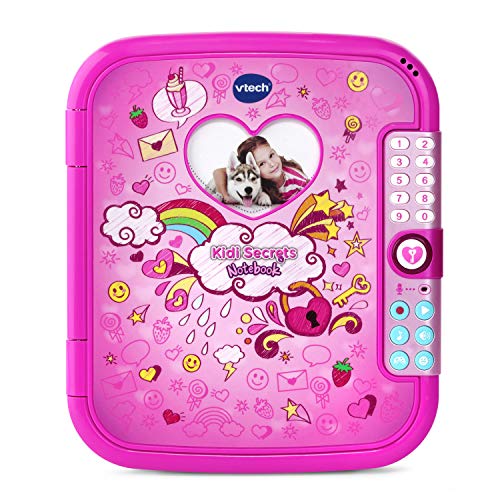
VTech Kidi Secrets Notebook
Why We Love It

Rocketbook New Core Reusable Spiral Notebook
Why We Love It
Quick Pick
10 Best Acemagic Notebooks Of 2026
Quick Pick
ACEMAGIC Laptop with Windows 11 Intel Quad-Core Processor (up to 3.6GHZ) 16GB DDR4 RAM 512GB SSD 15.6 Inch FHD IPS Display Metal Body
ACEMAGIC 2025 LX15 Laptop, 15.6-inch FHD (1920 x 1080) Display, Intel N97 Processor, 16GB DDR4 RAM, 512GB SSD, Windows 11 Pro, Wi-Fi 5, 180° Fold, Ideal for Work & Study
Pocket Notebook, 5 Pack Small Size Spiral Notebooks for Writing Drawing Note Taking, 3.5”x5.5”, 180 Ruled Pages, 90 Sheets, Back to School
Azonee Magic Copybook, Grooved Handwriting Practice Books for Kids, Includes Pen and 6 Refills, Reusable English Cursive Calligraphy for Ages Magic Practice Copybook with Auto Disappear Ink Pen 3+ 4PC
TERRIFI 8 Pack Rainbow Scratch Notebooks, Magic Painting & Sketch Art Notes Drawing Set for Kids - Includes Stencil and Wooden Stylus With Each Note
Djeco Owen Secret Notebook with Magic Pen
McMola Erasable Doodle Book - 14 Page Reusable Magic Drawing Set (Blue)
Rocketbook New Core Reusable Spiral Notebook, Executive Size 6x8.8, Gray - Lined Pages, App-Connected, Erasable, Durable Cover, Ideal for School, Work, and Creative Projects (Pack of 1)
VTech Kidi Secrets Notebook, Pink
Rocketbook New Core Reusable Spiral Notebook, Executive Size 6x8.8, Pink - Lined Pages, App-Connected, Erasable, Durable Cover, Ideal for School, Work, and Creative Projects
Buying Guide: Acemagic Notebooks
📋 Table of Contents
1How much RAM do I actually need for everyday use?
For basic tasks like web browsing and document editing, 8GB of RAM is sufficient. If you run multiple apps or use resource-heavy software like video editors, aim for at least 16GB to avoid slowdowns and lag.
2Is an SSD or HDD better for my needs?
An SSD is faster and more reliable for quick boot times and app loading, making it ideal for most users. HDDs offer more storage for less cost but are slower and less durable, so prioritize SSD if speed matters more than storage space.
3What screen size and resolution should I choose?
A 13-14 inch display is portable and good for travel, while 15-16 inches offers more screen real estate for productivity. Look for at least Full HD (1920x1080) resolution for sharp visuals, and consider higher if you do photo or video work.
4How long should the battery last for my usage?
Look for at least 8-10 hours of battery life for light to moderate use. If you work away from a power source often, choose a model with 12+ hours or fast charging to minimize downtime and keep you productive longer.
5Do I need a dedicated graphics card?
Integrated graphics are enough for everyday tasks and light gaming. A dedicated GPU is only necessary for heavy gaming, 3D rendering, or video editing. Check the laptop's GPU specs if you plan to run graphics-intensive software regularly.
How we choose
Our editors are people who genuinely love testing and writing about products. We compare each product's real-world usability and strengths, then distill what matters most into our own "Why We Love It" points — so you get an honest, at-a-glance sense of what counts before you buy.