10 Best Ac1900 Whole Home Mesh Wi Fi System Of 2026
Ac1900 Whole Home Mesh Wi Fi System — Reviews, Recommendations & Updated Buying Guide November 2026


TP-Link Deco S7(3-pack) AC1900Mbps Whole Mesh WiFi System
Why We Love It


MERCUSYS WiFi Mesh AC 1900Mbps
Why We Love It

TP-Link Deco M4(3-pack) AC1200Mbps Whole Home Mesh WiFi
Why We Love It

MERCUSYS AC1900 Whole Home Mesh Wi-Fi System
Why We Love It

TP-Link Deco M4(2-Pack) AC1200Mbps Whole Home Mesh System
Why We Love It
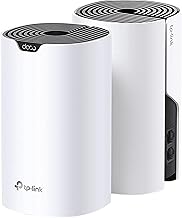
TP-Link Deco S4 Whole Home Mesh WiFi System
Why We Love It

TP-Link Deco S4 Whole Home Mesh WiFi System
Why We Love It

TP-Link Deco X10 AX1500Mbps Dual Band WiFi 6 Router
Why We Love It

TP-LINK Deco M4 2-pack wireless router Dual-band (2.4 GHz /
Why We Love It

TP Link Deco X10
Why We Love It
Quick Pick
10 Best Ac1900 Whole Home Mesh Wi Fi System Of 2026
Quick Pick
TP-Link Deco S7(3-pack) AC1900Mbps Whole Mesh WiFi System, Dual-Band WiFi Booster with Gigabit Ports, Coverage up to 5,600 ft2, Connect 150 devices, 1.2 GHz CPU, Work Amazon Alexa, Parental Controls
MERCUSYS WiFi Mesh AC 1900Mbps, WiFi System for Whole Home, 550㎡ WiFi Coverage, 3 Gigabit Ports, Transparent Roaming, Parental Control, Beamforming, Halo H50G (3-Pack)
TP-Link Deco M4(3-pack) AC1200Mbps Whole Home Mesh WiFi System, up to 4000 sq ft Coverage, Qualcomm CPU, Dual-Band WiFi Booster with Gigabit Ports, Compatible with Amazon Echo/Alexa, Parent Control
MERCUSYS AC1900 Whole Home Mesh Wi-Fi System, Coverage up to 4,000 ft² (350 m²) Connect over 100 Devices, Full Gigabit Ports, Dual Band Wi-Fi, Easy App Control, Halo H50G(2-pack)
TP-Link Deco M4(2-Pack) AC1200Mbps Whole Home Mesh System, Seamless & Speedy WiFi Extender, Up to 2800 ft² Coverage, Work with Amazon Alexa, Router and Internet Booster Replacement
TP-Link Deco S4 Whole Home Mesh WiFi System, Deco S4(2-Pack) | Up to 3,800 Sq.ft. Coverage, AC1900 WiFi Router and Extender Replacement, Parental Controls
TP-Link Deco S4 Whole Home Mesh WiFi System, Deco S4(1-Pack) | Up to 2,000 Sq.ft. Coverage, AC1900 WiFi Router/Extender Replacement, Gigabit Ports
TP-Link Deco X10 AX1500Mbps Dual Band WiFi 6 Router, Home Seamless Roaming | "WiFi Router with 2x2G Ports, Parental Control, AI Driven Mesh, Voice Control, WiFi Dead Zone Killer, MU-MIMO, Easy Setup"
TP-LINK Deco M4 2-pack wireless router Dual-band (2.4 GHz / 5 GHz) Gigabit Ethernet Black,White Deco M4 2-pack, Dual-band (2.4 GHz / 5 GHz), IEEE 802.11ac, 867 Mbit/s, 300 Mbit/s, 867 Mbit/
TP Link Deco X10, Wi Fi 6,AX1500 Dual Band Whole Home Mesh System|5 GHz Band Access |Upto 1500 Mbps Gigabit Speed|Coverage Upto 2100 sq.ft.|Connect up to 120 Devices|OFDMA & MU-MIMO
Buying Guide: Ac1900 Whole Home Mesh Wi Fi System
📋 Table of Contents
1What coverage area can I expect from an AC1900 whole home mesh Wi-Fi system?
An AC1900 mesh system typically covers 1,500 to 2,500 square feet per node, depending on your home's layout. For larger homes, you may need 2–3 nodes to ensure full coverage without dead zones, especially in multi-story or open-plan spaces.
2How does the AC1900 compare to a single-router setup?
A single-router setup often struggles with signal reach and interference, leading to spotty Wi-Fi. The AC1900 mesh system uses multiple nodes that work together to provide seamless coverage, better signal strength, and more stable connections throughout your home.
3What should I look for in terms of Wi-Fi speed and performance?
The AC1900 standard supports dual-band Wi-Fi (2.4 GHz and 5 GHz) with speeds up to 1,900 Mbps. Look for systems with at least 2.4 GHz for broader coverage and 5 GHz for faster speeds. More nodes can also help reduce congestion and improve overall performance.
4Are there any common mistakes to avoid when setting up a mesh system?
Avoid placing nodes too far apart or behind thick walls, as this can weaken the signal. Also, ensure your router is placed centrally and not near metal objects or appliances that may interfere with the Wi-Fi signal for optimal performance.
5What additional features should I consider for a whole home mesh system?
Look for systems with built-in parental controls, Quality of Service (QoS) settings, and support for the latest Wi-Fi 6 standards. These features can help manage bandwidth, prioritize devices, and future-proof your network as your home's connectivity needs grow.
How we choose
Our editors are people who genuinely love testing and writing about products. We compare each product's real-world usability and strengths, then distill what matters most into our own "Why We Love It" points — so you get an honest, at-a-glance sense of what counts before you buy.