10 Best Ac1750 Wireless Access Point Of 2026
Ac1750 Wireless Access Point — Reviews, Recommendations & Updated Buying Guide November 2026


TP-Link Festa F54 Wireless Access Point AC1750 Gigabit Port
Why We Love It

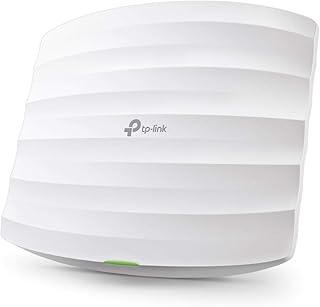
Omada EAP245 V3 AC1750 Wireless Gigabit Access Point
Why We Love It

TP-Link AC1750 Wireless Wi-Fi Access Point
Why We Love It

TP-Link AC1750 Wi-Fi Dual Band Gigabit Ceiling Mount Access
Why We Love It

TP-Link EAP265 HD
Why We Love It

TP-Link EAP245 (5-Pack) Omada AC1750 Gigabit Wireless Access
Why We Love It

TP-Link EAP245 AC1750 WLAN Access Point (Dualband 1750
Why We Love It

D-Link DAP-2680 nuclias connect wireless AC1750 Wave 2
Why We Love It

TP-Link EAP610
Why We Love It

TP-Link TL-WA1201 AC1200 Dual Band Extender
Why We Love It
Quick Pick
10 Best Ac1750 Wireless Access Point Of 2026
Quick Pick
TP-Link Festa F54 Wireless Access Point AC1750 Gigabit Port Mesh Seamless Roaming, MU-MIMO, Self-Organizing Network Free Cloud Management PoE Powered, Zero-Touch Provisioning, Does not Work with Omada
Omada EAP245 V3 AC1750 Wireless Gigabit Access Point, PoE Powered | Mesh Support, Seamless Roaming & MU-MIMO, PoE Powered, SDN Integrated, Cloud Access & Omada App, White
TP-Link AC1750 Wireless Wi-Fi Access Point - Supports 802.3at PoE+, Dual Band, 802.11AC, Ceiling Mount, 3x3 MIMO Technology (EAP245 V1)
TP-Link AC1750 Wi-Fi Dual Band Gigabit Ceiling Mount Access Point, MU-MIMO, Support 802.3af/at/Passive PoE, Easily Mount to Wall or Ceiling, Free EAP Controller Software (EAP245), White
TP-Link EAP265 HD | Omada Enterprise AC1750 Gigabit Wireless Access Point for High-Density Deployment | Support Mesh, Seamless Roaming & MU-MIMO | PoE Powered | SDN Integrated, Cloud Access &Omada App
TP-Link EAP245 (5-Pack) Omada AC1750 Gigabit Wireless Access Point Business WiFi Solution w/Mesh Support, Seamless Roaming & MU-MIMO PoE Powered SDN Integrated Cloud Access & Omada App
TP-Link EAP245 AC1750 WLAN Access Point (Dualband 1750 Mbit/s mit MU-MIMO, Omada SDN, zentrales Management, professionelles Mesh WLAN, passend für Wand- und Deckenmontage, unterstützt 802.3af PoE)weiß
D-Link DAP-2680 nuclias connect wireless AC1750 Wave 2 Dual-Band PoE Access Point
TP-Link EAP610 | Omada Business WiFi 6 AX1800 Wireless Gigabit Access Point| Support Mesh, OFDMA, Seamless Roaming & MU-MIMO | SDN Integrated | Cloud Access & Omada App | PoE+ Powered | White
TP-Link TL-WA1201 AC1200 Dual Band Extender, PoE, EasyMesh, Gigabit Port
Buying Guide: Ac1750 Wireless Access Point
📋 Table of Contents
1What does the AC1750 rating mean for performance?
The AC1750 rating indicates the access point's combined Wi-Fi 5 (802.11ac) throughput, typically offering around 1750 Mbps total speed. This is split between 867 Mbps on the 5 GHz band and 800 Mbps on the 2.4 GHz band, making it ideal for high-speed streaming, gaming, and multi-device households.
2How many devices can the AC1750 handle effectively?
An AC1750 access point can support up to 20-30 devices simultaneously without significant performance drops, depending on bandwidth usage. For larger homes or offices, consider a mesh system or multiple access points to maintain consistent coverage and speed.
3Should I choose a dual-band or tri-band AC1750 access point?
Dual-band models operate on 2.4 GHz and 5 GHz, while tri-band adds a second 5 GHz band for better congestion management. Tri-band is better for high-density environments, but dual-band is often sufficient for most homes and offers better range on the 2.4 GHz band for older devices.
4What security features should I look for in an AC1750 access point?
Look for WPA3 encryption, support for VLANs, and built-in firewalls. These features protect against unauthorized access and data breaches. Some models also offer guest networks and parental controls, which are useful for managing different user groups.
5Is a wired backhaul better for an AC1750 access point?
Yes, using a wired Ethernet connection for backhaul provides more stable and faster performance compared to wireless backhaul. It reduces latency and interference, making it ideal for gaming, video conferencing, or streaming in larger homes with multiple access points.
How we choose
Our editors are people who genuinely love testing and writing about products. We compare each product's real-world usability and strengths, then distill what matters most into our own "Why We Love It" points — so you get an honest, at-a-glance sense of what counts before you buy.