10 Best A4 Home Office Multifunction Printer Of 2026
A4 Home Office Multifunction Printer — Reviews, Recommendations & Updated Buying Guide November 2026


EPSON EcoTank L3252 Home ink tank printer A4
Why We Love It


Canon Pixma TS3640 Printer
Why We Love It

Epson EcoTank L6370: 2026 Model
Why We Love It

Epson EcoTank Home L3251 Wi‑Fi Ink Tank Printer
Why We Love It

Epson EcoTank Home L3250 Wi‑Fi Ink Tank Printer
Why We Love It

Deli M1820W Monochrome Laser Printer All-in-One Print Copy
Why We Love It

Phomemo M08F Thermal Printer Bluetooth Portable Wireless
Why We Love It

Brother Wireless All In One Ink Tank Printer
Why We Love It

EPSON EcoTank L5590 Office ink tank printer
Why We Love It
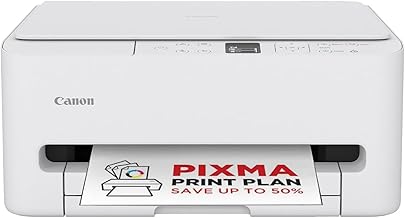
Canon PIXMA TS6550i Wireless All-in-One Inkjet Printer
Why We Love It
Quick Pick
10 Best A4 Home Office Multifunction Printer Of 2026
Quick Pick
EPSON EcoTank L3252 Home ink tank printer A4, colour, 3-in-1 printer with WiFi and SmartPanel App connectivity
Canon Pixma TS3640 Printer - Black - UAE VERSION WITH OFFICIAL WARRANTY.
Epson EcoTank L6370: 2026 Model | Cost-Effective Multi Function Printer | Wi-Fi | A4 | Duplex Printer with Duplex Scan | LCD Display
Epson EcoTank Home L3251 Wi‑Fi Ink Tank Printer | 3‑in‑1 Print/Scan/Copy | Ultra‑Low‑Cost Home Printing | Epson Smart Panel
Epson EcoTank Home L3250 Wi‑Fi Ink Tank Printer | 3‑in‑1 Print/Scan/Copy | 8100 Black & 6500 Colour Pages | Ultra‑Low‑Cost EcoTank System
Deli M1820W Monochrome Laser Printer All-in-One Print Copy Scan 20ppm WiFi Bluetooth USB 1200x600dpi Manual Duplex 150 Sheet Tray Compact Office Home Business Printer UAE Version
Phomemo M08F Thermal Printer Bluetooth Portable Wireless Inkless Mobile Printer for Office, Home, Images, Compatible with Phone & Laptop(Gray) | Wireless Inkless Mobile Printer for Office, Home, Images, Compatible with Phone & Laptop
Brother Wireless All In One Ink Tank Printer, DCP-T530DW, Automatic Duplex Print, Wireless & Mobile Print, Compact Design, Black
EPSON EcoTank L5590 Office ink tank printer, High-speed A4 colour 4-in-1 printer with ADF, Wi-Fi Direct and Ethernet, with SmartApp conectivity
Canon PIXMA TS6550i Wireless All-in-One Inkjet Printer, Photo & Document | Borderless photo printing up to 18x25cm for scrapbooking and albums; wireless AirPrint and Mopria, auto duplex
Buying Guide: A4 Home Office Multifunction Printer
📋 Table of Contents
1What print speed should I look for in an A4 home office multifunction printer?
For home use, a print speed of 20-30 pages per minute (ppm) is ideal for most users. Higher speeds are better for frequent printing, but slower models are often more affordable and sufficient for light to moderate use, such as reports, emails, and documents.
2Is wireless connectivity essential for a home office multifunction printer?
Wireless connectivity, such as Wi-Fi or Bluetooth, is highly beneficial for convenience, allowing you to print from smartphones, tablets, or laptops without cables. However, if you primarily use a single computer, a USB-only model may be sufficient and more cost-effective.
3What paper handling capacity is best for a home office setup?
A paper tray capacity of 250-300 sheets is standard and suitable for most home offices. If you frequently print long documents or bills, look for models with a 500-sheet tray or a second tray for duplex printing to reduce refilling and interruptions.
4Should I prioritize color printing or stick to black and white?
Black-and-white printing is typically faster, more reliable, and cheaper than color printing. If you only need to print text documents, a monochrome printer is sufficient. For occasional color needs, look for a printer with a high-quality color inkjet system and low-cost color ink options.
5What scanning resolution is important for a home office multifunction printer?
A scanning resolution of at least 600 dpi is standard and suitable for most home use, such as scanning documents or photos. For higher quality, especially for images or detailed documents, look for models with 1200 dpi or higher, though they may be more expensive and slower.
How we choose
Our editors are people who genuinely love testing and writing about products. We compare each product's real-world usability and strengths, then distill what matters most into our own "Why We Love It" points — so you get an honest, at-a-glance sense of what counts before you buy.