10 Best 8gb Macbook Air Of 2026
8gb Macbook Air — Reviews, Recommendations & Updated Buying Guide November 2026


Apple 2020 MacBook Air Laptop: Apple M1 Chip
Why We Love It

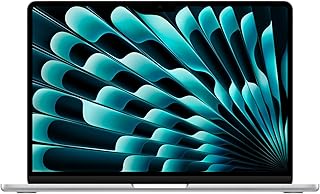
Apple 2026 MacBook Air 13-inch Laptop with M5 chip: AI and
Why We Love It

Apple 2026 MacBook Neo 13-inch Laptop with A18 Pro chip:
Why We Love It

Apple 2026 MacBook Neo 13-inch Laptop with A18 Pro chip:
Why We Love It

Apple 2026 MacBook Air 15-inch Laptop with M5 chip: AI and
Why We Love It

Apple 2026 MacBook Pro Laptop with M5 Pro chip with 15 CPU
Why We Love It

Mac Book Air A1466 (2015) Laptop With 13-Inch HD Display
Why We Love It

Mac Book Air A1466 (2015) Laptop With 13.3-Inch Full HD
Why We Love It

2020 MacB00K Pro Laptop | Core i7
Why We Love It

2019 MacB00K Pro Laptop | 32GB RAM
Why We Love It
Quick Pick
10 Best 8gb Macbook Air Of 2026
Quick Pick
Apple 2020 MacBook Air Laptop: Apple M1 Chip, 13” Retina Display, 8GB RAM, 256GB SSD Storage, Backlit Keyboard, FaceTime HD Camera, Touch ID. Works with iPhone/iPad; Space Gray ; English
Apple 2026 MacBook Air 13-inch Laptop with M5 chip: AI and Apple Intelligence, 13.6-inch Liquid Retina Display, 16GB Unified Memory, 512GB SSD Storage, 12MP Center Stage Camera; ;Arabic
Apple 2026 MacBook Neo 13-inch Laptop with A18 Pro chip: Built for AI and Apple Intelligence, Liquid Retina Display, 8GB Unified Memory, 256GB SSD Storage; Citrus; English
Apple 2026 MacBook Neo 13-inch Laptop with A18 Pro chip: Built for AI and Apple Intelligence, Liquid Retina Display, 8GB Unified Memory, 512GB SSD Storage, Touch ID; Blush; Arabic
Apple 2026 MacBook Air 15-inch Laptop with M5 chip: AI and Apple Intelligence, 15.3-inch Liquid Retina Display, 16GB Unified Memory, 1TB SSD Storage, 12MP Center Stage Camera; Midnight;English
Apple 2026 MacBook Pro Laptop with M5 Pro chip with 15 CPU and 16 GPU: Built for AI, 14.2-inch Liquid Retina XDR Display, 24GB Unified Memory, 1TB SSD Storage; Space Black; Arabic
Mac Book Air A1466 (2015) Laptop With 13-Inch HD Display, Core i5 Processor/Dual Core/8GB RAM/256GB SSD English Silver - Renewed
Mac Book Air A1466 (2015) Laptop With 13.3-Inch Full HD Display, Core i5 Processor/Dual Core/8GB RAM/128GB SSD English Silver - Renewed
2020 MacB00K Pro Laptop | Core i7, 32GB RAM, 512GB SSD | 13.3 Inch Display, 2.3GHz quad-core Intel | Intel Iris Plus Graphics | Charger for Apple Macbook Pro Laptop (Renewed)
2019 MacB00K Pro Laptop | 32GB RAM, 1TB SSD, Core i9 | 16 Inch Display, 2.3GHz 8‑core | 8GB Graphics AMD Radeon Pro 5500M | Charger for Apple Macbook Pro Laptop (Renewed)
Buying Guide: 8gb Macbook Air
📋 Table of Contents
1What processor should I look for in an 8GB MacBook Air?
Opt for at least an Apple M1 or M2 chip for smooth performance and efficient power use. These chips handle everyday tasks like web browsing, video streaming, and light editing well, while older Intel processors may struggle with modern apps and multitasking.
2Is 8GB of RAM enough for most users?
Yes, for basic tasks like email, office software, and media consumption. However, if you plan to run multiple apps or use resource-heavy software like video editing, 16GB is better to avoid slowdowns and improve multitasking efficiency.
3What storage capacity should I choose with an 8GB MacBook Air?
A minimum of 256GB is suitable for most users, but 512GB or more is better if you work with large files like photos, videos, or design projects. Storage can’t be upgraded later, so plan based on your usage needs.
4How does the 8GB MacBook Air compare to the 16GB model?
The 16GB model handles more intensive tasks like virtual machines, 3D rendering, or running multiple apps simultaneously without lag. If you’re a student or creative professional, the extra RAM can make a noticeable difference in performance and responsiveness.
5What display size and resolution should I prioritize?
Choose between 13.6-inch and 15.3-inch models based on portability and screen real estate. The 13.6-inch offers a good balance of size and weight, while the 15.3-inch provides more space for multitasking and media consumption, both with Retina displays for sharp visuals.
How we choose
Our editors are people who genuinely love testing and writing about products. We compare each product's real-world usability and strengths, then distill what matters most into our own "Why We Love It" points — so you get an honest, at-a-glance sense of what counts before you buy.