10 Best 8 In 1 Usb Hubs Of 2026
8 In 1 Usb Hubs — Reviews, Recommendations & Updated Buying Guide November 2026


USB C Hub, 8 in 1 Type C Hub Multiport Adapter with 4K HDMI
Why We Love It


8 IN 1 Usb-A And Usb Type-C Hub Included 2 USB 3.0 And 2 USB
Why We Love It

UGREEN USB C Hub 8-in-1[Different State Emoji] 4K HDMI SD/TF
Why We Love It

EpicArma 8 in 1 USB-C Hub- turns a single USB-C port into a
Why We Love It
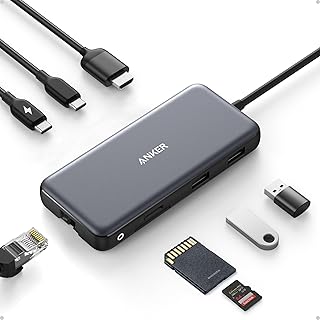
Anker USB C Hub
Why We Love It

UGREEN USB C Hub
Why We Love It
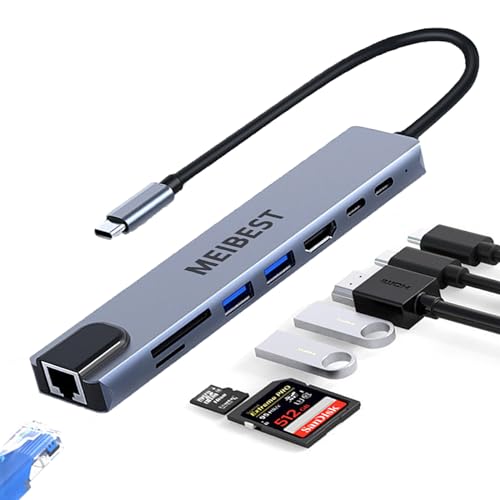
USB C Hub, MEIBEST USB C to 4K HDMI Multiport Adapter
Why We Love It

CROWNYX 8-in-1 USB-C Hub Multiport Adapter
Why We Love It

UGREEN Revodok Pro USB C Hub 8 in 1 with 170MB/s SD/TF Slots
Why We Love It

MERCURY 8 IN 1 DOCKING STATION USB C Hub with 100W PD
Why We Love It
Quick Pick
10 Best 8 In 1 Usb Hubs Of 2026
Quick Pick
USB C Hub, 8 in 1 Type C Hub Multiport Adapter with 4K HDMI, PD Power Delivery, USB-C, Ethernet, 2 USB, SD/TF Card Reader Compatible with Mac Book Pro XPS and More Type C Devices
8 IN 1 Usb-A And Usb Type-C Hub Included 2 USB 3.0 And 2 USB 2.0 Ports, 2 TF/SD Carder Slots And 1 USB Type -C Port With One 3.5mm Audio Jac Compatible with Laptops i-P,ad i-Phone Mak-Book
UGREEN USB C Hub 8-in-1[Different State Emoji] 4K HDMI SD/TF 10Gbps 100W PD | 10Gbps USB-C/USB-A 3.2 Gen2, 100W PD Charging, 4K@60Hz HDMI, 170Mb/s SD/TF Card Reader, Multiport Adapter for MacBook/Dell
EpicArma 8 in 1 USB-C Hub- turns a single USB-C port into a complete workstation — perfect for laptops, PCs, tablets, and even smartphones.
Anker USB C Hub, 8-in-1 Multiport Ethernet Adapter with 4K@60Hz HDMI Port | 85W Max PD, 10Gbps USB C & 2 USB-A Data Ports, microSD/SD Card Reader, for Laptops, MacBook Pro, XPS, iPad and More
UGREEN USB C Hub, 5-in-1 USB Hub for Laptops, 4K HDMI to USB-C Adapter | 100W PD, 3 USB-A Data Ports, Aluminum Compact Multiport Adapter for MacBook Air/Pro, HP, Dell, iPad, Galaxy Dex and More
USB C Hub, MEIBEST USB C to 4K HDMI Multiport Adapter, 8 in 1 USB C Adapter Type C Dock, USB C 3.0 100W PD USB Charging HuB Compatible for MacBook Pro/Air M1 2023, Dell, HP, XPS
CROWNYX 8-in-1 USB-C Hub Multiport Adapter, 4K HDMI, RJ45 Ethernet 100Mbps, 2× USB 3.0 Ports, SD/TF Card Reader, Dual Type-C Docking Station for MacBook, iPad, PS5, Laptop & Workstation
UGREEN Revodok Pro USB C Hub 8 in 1 with 170MB/s SD/TF Slots for On-the-Go | 4K@60Hz HDMI, 10Gbps Data Transfers, 85W for Laptop Charging, Compatible for MacBook Neo/Air/Pro, iPad Pro, XPS, Thinkpad
MERCURY 8 IN 1 DOCKING STATION USB C Hub with 100W PD Charging, Type C to HDMI 4K60Hz Adapter, 2 USB A Data Ports, 1 USB C Data Ports, RJ45 Ethernet 10/100/1000 Mbps, SD/TF Card Reader, Multiport Hub
Buying Guide: 8 In 1 Usb Hubs
📋 Table of Contents
1What port types should I look for in an 8 in 1 USB hub?
Look for a mix of USB-A, USB-C, and possibly HDMI or USB 3.0 ports to support a variety of devices. Some models include card readers or Ethernet ports, which can be useful for expanding connectivity on laptops or desktops with limited ports.
2How important is the power delivery capability of an 8 in 1 USB hub?
Power delivery is crucial if you're charging devices like phones or tablets. Look for hubs with at least 2.4A per port or higher, and ensure they support USB 3.0 or USB-C PD for faster charging and data transfer speeds.
3Should I choose a powered or unpowered 8 in 1 USB hub?
A powered hub is better for charging multiple devices or using power-hungry peripherals like external hard drives. Unpowered hubs may not provide enough current, leading to slower performance or device malfunctions.
4What size and design considerations should I keep in mind?
Choose a compact design if you need portability, but ensure it has enough space for all ports and cables. Desktop models often have more ports and better build quality, while travel hubs prioritize portability over expandability.
5Are there any common mistakes to avoid when buying an 8 in 1 USB hub?
Avoid hubs with low-quality or non-certified chips, as they can cause data transfer issues or device instability. Also, check for compatibility with your operating system and ensure the hub supports the latest USB standards for optimal performance.
How we choose
Our editors are people who genuinely love testing and writing about products. We compare each product's real-world usability and strengths, then distill what matters most into our own "Why We Love It" points — so you get an honest, at-a-glance sense of what counts before you buy.