10 Best 7 In 1 Docking Stations Of 2026
7 In 1 Docking Stations — Reviews, Recommendations & Updated Buying Guide November 2026


UGREEN Revodok Pro 207 USB C Docking Station Dual Monitor
Why We Love It


UGREEN USB C Hub
Why We Love It
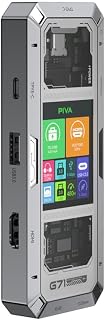
Aluminum Office Docking Station 7 In 1 Type C To HDMI 2.0
Why We Love It

CableCreation 7 in 1 USB-C Hub(Lite Series) Multiport
Why We Love It

Anker USB C Hub
Why We Love It

BIGTHREE 7-in-1 USB C Hub Stand
Why We Love It

PIVA ds7 7-in-1 Multi-Function type C Extension Hub
Why We Love It

M.2 Docking Station for Steam Deck
Why We Love It

Baseus USB C Hub 7 in 1 Adapter with 4K @ 60Hz HDMI
Why We Love It

Type C 7 in 1 Wozoyo Docking Station with USB 5Gbps (3.2 Gen
Why We Love It
Quick Pick
10 Best 7 In 1 Docking Stations Of 2026
Quick Pick
UGREEN Revodok Pro 207 USB C Docking Station Dual Monitor, 7-in-1 Dock with 4K@60Hz HDMI, 10Gbps 2 Type C and A Data Ports, 100W PD Port for PC, Laptop, Dell XPS, HP, Thinkpad, and More | 100W PD Ports, Aluminium Revodok Pro 207 USB C Dock Compatible with PC, Laptop, XPS, HP, ThinkPad, Surface, Chromebook, etc
UGREEN USB C Hub, 7-in-1 4K HDMI to USB-C 100WPD USB Hub for Laptops | microSD SD Card Reader for Laptops, 3x USB-A/C Ports, Compact Aluminum Multiport Adapter for MacBook Neo/Air/Pro, HP, Dell
Aluminum Office Docking Station 7 In 1 Type C To HDMI 2.0 USB 3.0 Hub PD 100W Adapter Compatible With PIVA G71
CableCreation 7 in 1 USB-C Hub(Lite Series) Multiport Adapter,Type C Dongle Docking Station with 4K HDMI,USB A 3.0/2.0 Ports,USB-C Data,100W PD and SD/TF Cards Reader Adapter
Anker USB C Hub, 7in1 Multi-Port USB Adapter, 4K@60Hz USBC to HDMI Splitter | 85W Max PD, 2 USB 3.0 & 1 USBC Data Ports, SD/TF Card Reader, for Laptops/Mac and Other Type C Devices (Charger Not Included)
BIGTHREE 7-in-1 USB C Hub Stand, Tablet iPad Docking Station, Foldable Type C Docking Station Hub, with 4K 30HZ HDMI, 3.5mm AUX, USB-A 3.0/2.0, SD/TF Card Slots, 100W PD Charging
PIVA ds7 7-in-1 Multi-Function type C Extension Hub, Video and Audio Sampling, Gaming Dock for RedMagic, iPad, iPhone, Mobile, Laptops, Samsung and Android
M.2 Docking Station for Steam Deck, 7 in 1 Docking Station with SSD Port HDMI 2.0 4K@60Hz, Gigabit Ethernet, 3 USB and Full Speed USB-C Charge Port Compatible with Valve Steam Deck
Baseus USB C Hub 7 in 1 Adapter with 4K @ 60Hz HDMI, 100W PD, 3A 3.0 5Gbps, SD/TF Card Reader, Docking Station for iPhone 15, Laptop MacBook/Surface Pro/iPad/Steam Deck/Rog Ally/Samsung
Type C 7 in 1 Wozoyo Docking Station with USB 5Gbps (3.2 Gen 1), 2XUSB 2.0, 4K@60Hz HDMI, SD & TF Card Reader, PD 100W, USB-C Hub, Compatible with Thunderbolt 4, macOS, Windows, Android & iOS
Buying Guide: 7 In 1 Docking Stations
📋 Table of Contents
1What devices are typically supported by a 7 in 1 docking station?
Most 7 in 1 docking stations support USB-C or Thunderbolt 3/4 laptops, and often include ports for HDMI, USB-A, USB-C, SD card slots, Ethernet, and audio jacks. Check compatibility with your specific laptop model and operating system before buying.
2How much power delivery (PD) do I need for my laptop?
Look for at least 60W PD to charge most laptops, but 85W or 100W is better for high-performance models. If you run power-hungry apps or external drives, higher wattage ensures stable performance without draining your laptop.
3Are all 7 in 1 docks equally good for video output?
No — some docks only support 1080p at 60Hz, while better models handle 4K at 60Hz or dual 4K displays. Check the HDMI or DisplayPort version (2.0 or higher) and your laptop’s GPU capabilities to avoid resolution or refresh rate limitations.
4What’s the value of a built-in Ethernet port?
A 1Gbps or 2.5Gbps Ethernet port offers faster, more stable internet than Wi-Fi, especially for streaming, gaming, or large file transfers. It’s worth it if you work in a location with spotty Wi-Fi or need low-latency connections.
5Are extra ports like SD card readers always useful?
Yes for photographers, students, or anyone who uses memory cards — a UHS-II SD slot supports faster read/write speeds (up to 312MB/s), which is ideal for 4K video or large photo files. Avoid docks with only USB 2.0 card readers for high-speed needs.
How we choose
Our editors are people who genuinely love testing and writing about products. We compare each product's real-world usability and strengths, then distill what matters most into our own "Why We Love It" points — so you get an honest, at-a-glance sense of what counts before you buy.