10 Best 60hz Smart Monitor Of 2026
60hz Smart Monitor — Reviews, Recommendations & Updated Buying Guide November 2026


Samsung 32" M8 M80F Smart Monitor (AI & Smart Features) 4K
Why We Love It


Samsung 32" M5 M50F Smart Monitor (Smart Features) FHD (1
Why We Love It
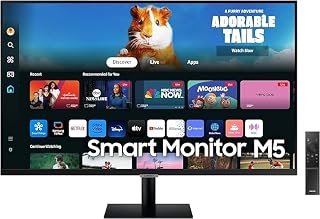
Samsung M5 2024 Smart Monitor 27" Smart Monitor
Why We Love It
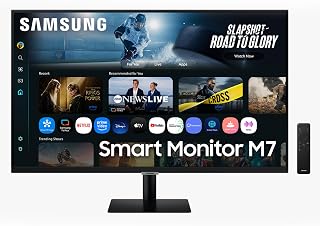
Samsung M70F 32 Inch 4K Smart AI Monitor
Why We Love It
Samsung M5 2024 Smart Monitor 32" VA FHD (1
Why We Love It

UPERFECT 14” Portable Monitor Touchscreen
Why We Love It

KOORUI E2411H 23.8 inch Monitor Full HD
Why We Love It

Yodoit Portable Monitor 15.6"
Why We Love It

Great voell 24 Inch Curved Monitor
Why We Love It
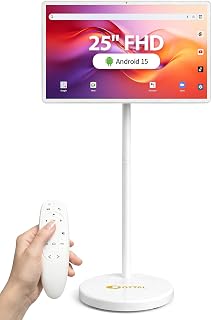
Smart tv 25-Inch Portable Monitor with Touch Screen
Why We Love It
Quick Pick
10 Best 60hz Smart Monitor Of 2026
Quick Pick
Samsung 32" M8 M80F Smart Monitor (AI & Smart Features) 4K (3,840 x 2,160) 60hz, With Camera USB Type C, Height Adjustable, For Entertainment and Work, LS32FM801UMXUE
Samsung 32" M5 M50F Smart Monitor (Smart Features) FHD (1,920 x 1,080) 60hz, 2HDMI, Simple Stand, for Entertainment and Work, LS32FM500EMXUE
Samsung M5 2024 Smart Monitor 27" Smart Monitor, Wifi, Bluetooth, Speaker, FHD (1,920 x 1,080) Black |LS27DM500EMXUE
Samsung M70F 32 Inch 4K Smart AI Monitor, VA Panel, 3840 x 2160, 60Hz, 4ms (G/G), Speaker, Gaming Hub, 4K Upscaling, Voice Control, Smart TV Apps & AI Features, HDR10, USB-C, HDMI LS32FM700UUXEN
Samsung M5 2024 Smart Monitor 32" VA FHD (1,920 x 1,080) M50D Smart Screen With Speaker,HDMI,Wifi,Bluetooth, Black|LS32DM500EMXUE
UPERFECT 14” Portable Monitor Touchscreen, 125% sRGB 1080P FHD IPS Ultra-Thin Travel Second Screen with 10-Point Touch, Built-in Speakers, VESA Mount & Smart Cover for Laptop, Phone & Game Console
KOORUI E2411H 23.8 inch Monitor Full HD, 120 Hz, 5ms, Eye Comfort, sRGB% 99 Farbumfangs, (1920 x 1080, HDMI, VGA, Neigbar, VESA 75x75)
Yodoit Portable Monitor 15.6", FHD 1080P Screen IPS 1920×1080 100% SRGB Display with Type C USB Port and Speakers with Smart Cover, Compatible with PC, Laptop, MacBook, Xbox
Great voell 24 Inch Curved Monitor, 3000R VA PC Screen, 100Hz FHD 1080P | 98% sRGB, HDR10, 4000:1 contrast, FreeSync, HDMI/VGA and 75×75mm VESA for home office, study and casual gaming
Smart tv 25-Inch Portable Monitor with Touch Screen, 1080P Smart Screen, Rolling TV Stand on Wheels, 6G RAM+128G Storage, 60Hz Refresh Rate, White
Buying Guide: 60hz Smart Monitor
📋 Table of Contents
1What resolution should I look for in a 60Hz smart monitor?
For a 60Hz smart monitor, a Full HD (1920x1080) resolution is standard and sufficient for most tasks like web browsing, video calls, and light productivity. If you plan to use it for media consumption or light creative work, consider a QHD (2560x1440) model for sharper visuals, though higher resolutions may strain the 60Hz refresh rate.
2Is a 60Hz refresh rate enough for gaming or video editing?
A 60Hz refresh rate is adequate for casual gaming and general use, but it may cause motion blur or lag in fast-paced games or video editing. For smoother performance, look for monitors with at least 120Hz, though 60Hz models are typically more budget-friendly and suitable for non-intensive tasks.
3What smart features should I prioritize in a 60Hz smart monitor?
Prioritize built-in web browsing, app support, and voice control for convenience. Some models include smart assistants like Alexa or Google Assistant, while others offer touchscreens or stylus support. Ensure the monitor is compatible with your devices and has a user-friendly interface for daily use.
4How important is the input lag for a 60Hz smart monitor?
Input lag is less critical for a 60Hz monitor used for general tasks, but it still matters for responsiveness. Look for monitors with input lag under 16ms for smoother interaction, especially if you plan to use it for streaming, video conferencing, or light gaming without high frame rates.
5What size and panel type are best for a 60Hz smart monitor?
A 24- to 27-inch IPS panel is ideal for a 60Hz smart monitor, offering good color accuracy and wide viewing angles. Avoid TN panels for better color reproduction. Larger sizes may be suitable for media consumption, but ensure the resolution matches the size to avoid pixelation.
How we choose
Our editors are people who genuinely love testing and writing about products. We compare each product's real-world usability and strengths, then distill what matters most into our own "Why We Love It" points — so you get an honest, at-a-glance sense of what counts before you buy.