10 Best 4k Dvi Cables Of 2026
4k Dvi Cables — Reviews, Recommendations & Updated Buying Guide November 2026

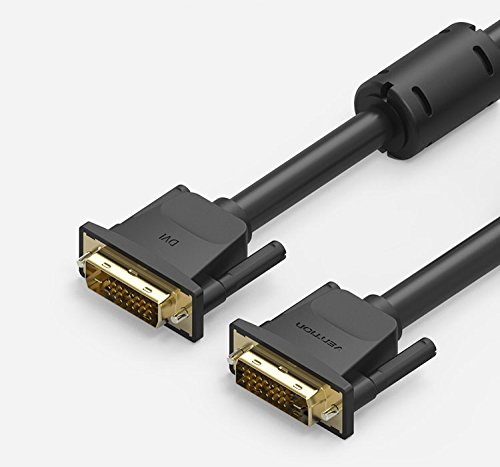
VENTION DVI(24+1) Male to Male Cable 1.5M Black
Why We Love It


BENFEI DVI to DVI Cable
Why We Love It

NALACAL DVI to DVI Cable Adapter
Why We Love It
Quick Pick
10 Best 4k Dvi Cables Of 2026
Quick Pick
VENTION DVI(24+1) Male to Male Cable 1.5M Black
BENFEI DVI to DVI Cable, 1.8 Meter DVI-D 24+1 Gold Plated Cable, Dual Link Support High Resolution 2560x1600 for Gaming, DVD, Laptop, HDTV
NALACAL DVI to DVI Cable Adapter - Male DVI-D Dual Link to Male DVI-D Dual Link – Video Cable Converter Supports Monitor, PC, TV, Gaming, Projector - 1080p Full HD 60Hz - Gold Connector 10ft / 3m
Buying Guide: 4k Dvi Cables
📋 Table of Contents
1What resolution and refresh rate can I expect from a 4K DVI cable?
A 4K DVI cable supports up to 3840 x 2160 resolution at 24Hz, but not all DVI cables can handle 4K. Look for a DVI-D (Digital) cable with a 24+5 pin configuration and a bandwidth of at least 5.4 Gbps to ensure true 4K compatibility with some limitations in refresh rate compared to HDMI or DisplayPort.
2Is DVI the best choice for 4K, or should I consider another connection type?
DVI is not ideal for 4K at higher refresh rates (like 60Hz) — it's limited compared to HDMI 2.0 or DisplayPort 1.4. If you're using a 4K monitor, check if it supports HDMI or DisplayPort for better performance and future-proofing, especially for gaming or video editing.
3What cable length works best for 4K DVI without signal loss?
For 4K over DVI, keep the cable under 5 meters (16 feet) to avoid signal degradation. Longer cables may require active signal boosters or you may need to lower the resolution or refresh rate to maintain a stable connection, depending on the cable quality and bandwidth.
4Do I need a specific type of DVI connector for 4K support?
Yes — use a DVI-D (Digital) connector with a 24+5 pin layout for full digital signal support. DVI-I or DVI-A connectors include analog or combined signals and won't deliver the best 4K performance. Always check the cable's pin configuration and bandwidth rating before buying.
5Are all 4K DVI cables the same, or should I look for specific features?
Not all 4K DVI cables are equal. Look for cables with gold-plated connectors, oxygen-free copper conductors, and shielding to reduce interference. Also, ensure the cable is certified for high-speed digital signals and supports at least 5.4 Gbps bandwidth for true 4K performance.
How we choose
Our editors are people who genuinely love testing and writing about products. We compare each product's real-world usability and strengths, then distill what matters most into our own "Why We Love It" points — so you get an honest, at-a-glance sense of what counts before you buy.