10 Best 4k Curved Monitor For Developer Of 2026
4k Curved Monitor For Developer — Reviews, Recommendations & Updated Buying Guide November 2026


Dell S3225QS 32" 4K Curved Monitor – Ultra HD (3840x2160)
Why We Love It

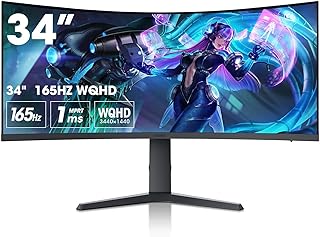
KOORUI 21:9 WQHD 3440 * 1440 4K (HDR 400)34 Inch 1800R
Why We Love It

ZZA 32 Inch Curved Monitor 4K UHD 3840x2160
Why We Love It

Z-Edge 34" UWQHD 165Hz 1ms Curved IPS Gaming Monitor
Why We Love It

KOORUI 32 Inch 4K UHD VA Monitor
Why We Love It

Xiaomi Mi Monitor G34WQI
Why We Love It

BenQ MA270U 27" 4K 3840x2160 Monitor for MacBook Pro/Air
Why We Love It
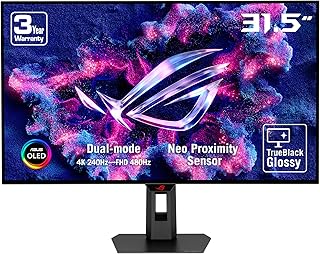
ASUS ROG Strix XG32UCWMG Monitor ―32" TrueBlack Glossy
Why We Love It

BenQ MA320U 32 inch 4K 3840x2160 Monitor for MacBook Pro/Air
Why We Love It

KOORUI 34 Inch UltraWide Curved Gaming Monitor
Why We Love It
Quick Pick
10 Best 4k Curved Monitor For Developer Of 2026
Quick Pick
Dell S3225QS 32" 4K Curved Monitor – Ultra HD (3840x2160), VA Panel, AMD FreeSync™, ComfortView Plus, HDMI/DisplayPort, Slim Bezel, Elegant Design – UK Model with 3-Year Warranty
KOORUI 21:9 WQHD 3440 * 1440 4K (HDR 400)34 Inch 1800R Curved Gaming Monitor, 165Hz MPRT 1MS (AMD FreeSync Premium Nvidia G-SYNC) Hdmi DP 90% DCI-P3 OSD Roker Computer Gamer Monitors
ZZA 32 Inch Curved Monitor 4K UHD 3840x2160, 60Hz 3000R VA Display, Gaming Monitor with Adaptive Sync, HDMI 2.1 & DisplayPort 1.4, 100% sRGB Computer Monitor, VESA 100x100, Black
Z-Edge 34" UWQHD 165Hz 1ms Curved IPS Gaming Monitor, FreeSync, 1500R Curvature, UWQHD 3440 * 1440, 96% DCI-P3, 1.07 Colors, 300 cd/㎡, 21:9, Powerful Connections, 2000:1, UG34I-Black
KOORUI 32 Inch 4K UHD VA Monitor, 3840x2160, 95% DCI-P3 & 99% sRGB, 10Bit 1.07B Colors, 3500:1 Contrast, HDR10, 60Hz, 3ms GTG, Speakers, HDMI/DP, VESA for Home & Gaming
Xiaomi Mi Monitor G34WQI, 34 Inch Curved Gaming Monitor, Black, EU ELA5454EU, QHD Ultra Wide 1440p
BenQ MA270U 27" 4K 3840x2160 Monitor for MacBook Pro/Air, Dual USB-C, 90W Power Delivery, Mac Color Match, USB Hub, Brightness & Volume Control on Mac, Height & Tilt Adjustable Stand, P3 Color Gamut
ASUS ROG Strix XG32UCWMG Monitor ―32" TrueBlack Glossy, Dual Mode (4K@240Hz, FHD@480Hz), 0.03ms, heatsink, OLED Care Pro, Neo Proximity Sensor, VESA DisplayHDR 400 True Black, USB-C, HDMI 2.1 | Dual Mode 4K@240Hz FHD @ 480Hz, 0.03ms, Sync-Tech, HDR 400 TrueBlack, USB-C, DP, HDMI. USB Hub
BenQ MA320U 32 inch 4K 3840x2160 Monitor for MacBook Pro/Air, Dual USB-C, 90W Power Delivery, Mac Color Match, USB Hub, Brightness & Volume Control on Mac, Adjustable Stand, P3 Color Gamut
KOORUI 34 Inch UltraWide Curved Gaming Monitor, WQHD 180Hz, HDR400 | 3440x1440, 1000R VA Panel, 1ms MPRT, Adaptive Sync, 90% DCI-P3, PiP/PbP, DP 1.4, HDMI 2.0, VESA 75 × 75 mm
Buying Guide: 4k Curved Monitor For Developer
📋 Table of Contents
1What resolution and refresh rate should I prioritize for a 4K curved monitor as a developer?
A 3840x2160 resolution ensures sharp text and code clarity, while a 60Hz refresh rate is typically sufficient for most development tasks. Higher refresh rates like 144Hz may be overkill unless you're multitasking with video or animations, but 100Hz+ can improve responsiveness for some workflows.
2Is a curved screen better for long coding sessions compared to a flat one?
A curved screen can reduce eye strain by offering a more immersive field of view and minimizing distortion at the edges. A 1800R curvature is common and suitable for most developers, but ensure the screen size and resolution still allow for comfortable code reading without squinting.
3What kind of panel technology is best for a 4K curved monitor used for development?
IPS panels provide the best color accuracy and wide viewing angles, which is crucial for code readability and design work. VA panels offer deeper blacks but may have slower response times, which can be a drawback for developers using multiple windows or animations.
4Should I look for a monitor with built-in speakers or a headphone jack for development use?
Built-in speakers are generally not ideal for focused work due to their low quality and potential for distraction. A 3.5mm headphone jack is more practical for connecting external headphones, ensuring clear audio for video calls, debugging, or media playback without noise interference.
5What input options are essential for a 4K curved monitor for developers?
At least one HDMI 2.1 and one DisplayPort 1.4 input are essential for high-resolution, high-refresh-rate connections. USB-C with DisplayPort Alt Mode is also valuable for docking stations or laptops, allowing for a single-cable setup with power delivery and data transfer.
How we choose
Our editors are people who genuinely love testing and writing about products. We compare each product's real-world usability and strengths, then distill what matters most into our own "Why We Love It" points — so you get an honest, at-a-glance sense of what counts before you buy.