10 Best 4 In 1 Colour Multifunction Printer Of 2026
4 In 1 Colour Multifunction Printer — Reviews, Recommendations & Updated Buying Guide November 2026


Epson EcoTank L5290 Office ink tank printer A4 colour 4 in 1
Why We Love It


Brother Wireless All In One Ink Tank Printer
Why We Love It

Brother Wireless All In One Ink Tank Printer
Why We Love It
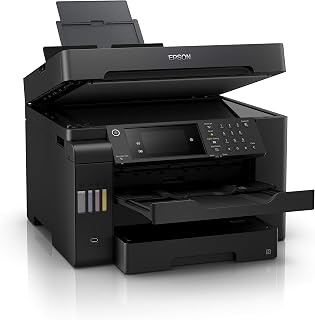
Epson EcoTank Photo L15150 A3 Wi‑Fi Ink Tank Printer
Why We Love It

HP Smart Tank 725 All-in-One Printer wireless
Why We Love It

Canon PIXMA G3480 3-in-1 Refillable MegaTank Inkjet Printer
Why We Love It

Brother Wireless All In One Ink Tank Printer
Why We Love It

HP OfficeJet Pro | Touchscreen | Wireless | Print
Why We Love It

HP DeskJet Ink Advantage 2975 MFP
Why We Love It

HP Smart Tank 5105 All in One Printer | Perfect for Home
Why We Love It
Quick Pick
10 Best 4 In 1 Colour Multifunction Printer Of 2026
Quick Pick
Epson EcoTank L5290 Office ink tank printer A4 colour 4 in 1 printer with ADF, Wi Fi and Smart Panel Connectivity and LCD screen, Black, Compact
Brother Wireless All In One Ink Tank Printer, DCP-T530DW, Automatic Duplex Print, Wireless & Mobile Print, Compact Design, Black
Brother Wireless All In One Ink Tank Printer, DCP-T730DW, Automatic Duplex Print & Scan, ADF, Email & Mobile Print, Compact Design
Epson EcoTank Photo L15150 A3 Wi‑Fi Ink Tank Printer | 4‑in‑1 Print/Scan/Copy/Fax | Auto Duplex | A3+ Business Printer | Ultra‑Low‑Cost Printing
HP Smart Tank 725 All-in-One Printer wireless, Print, Scan, Copy, Auto Duplex Printing, Print up to 18000 black or 8000 color pages, White/Blue [28B51A], Standard
Canon PIXMA G3480 3-in-1 Refillable MegaTank Inkjet Printer
Brother Wireless All In One Ink Tank Printer, DCP-T430W, Wireless & Mobile Print, Ultra Compact Design
HP OfficeJet Pro | Touchscreen | Wireless | Print, Copy, Scan | Automatic Duplex | Print Speed: 20ppm(black) / 10ppm(color) | 35-sheet ADF | OJ8123 | UAE Version
HP DeskJet Ink Advantage 2975 MFP, Colour WLAN Printer, App Printing, Copy, Scan (AJ4Y5A)
HP Smart Tank 5105 All in One Printer | Perfect for Home | Colour | Wireless | Print, Scan, Copy | Refillable, Includes up to 3 Years of Ink | Smart Buttons | Easy Setup | Reliable Wi-Fi
Buying Guide: 4 In 1 Colour Multifunction Printer
📋 Table of Contents
1What print resolution should I look for in a 4 in 1 colour multifunction printer?
A resolution of at least 1200 x 1200 dpi is ideal for sharp text and photo-quality prints. Higher resolutions, like 2400 x 2400 dpi, are better for professional photo printing, but may not be necessary for everyday use like documents or basic images.
2Is wireless connectivity essential for a 4 in 1 colour multifunction printer?
Wireless connectivity, such as Wi-Fi or Bluetooth, is useful for printing from mobile devices or multiple users in a home or office. However, if you primarily print from a single computer, a USB-only model may be sufficient and more cost-effective.
3What paper handling capacity is best for home or small office use?
A paper tray holding 150-250 sheets is suitable for most home or small office environments. Look for models with automatic document feeders (ADF) if you frequently scan or copy multi-page documents to save time.
4How important is ink or toner type when choosing a 4 in 1 colour multifunction printer?
Inkjet printers use liquid ink and are better for photo printing and colour accuracy, while laser printers use toner and are faster for high-volume black-and-white printing. Choose based on your primary use — photos or documents — and consider refillable or high-yield cartridges for cost savings.
5What are the key differences between all-in-one printers with colour scanning and those without?
Printers with colour scanning can capture detailed images and documents in full colour, which is useful for editing or archiving. Black-and-white scanning is sufficient for basic text documents, but colour scanning adds versatility for photos or coloured diagrams in your workflow.
How we choose
Our editors are people who genuinely love testing and writing about products. We compare each product's real-world usability and strengths, then distill what matters most into our own "Why We Love It" points — so you get an honest, at-a-glance sense of what counts before you buy.