10 Best 36 Inch Poster Printer Of 2026
36 Inch Poster Printer — Reviews, Recommendations & Updated Buying Guide November 2026

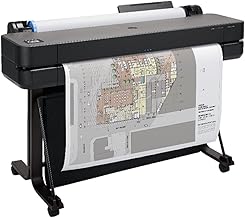
HP DesignJet T630 Large Format 36-inch Plotter Printer
Why We Love It


HP DesignJet T630 Large Format Plotter Printer 36in up to A0
Why We Love It

HP DesignJet T630 Large Format 36-inch Plotter Printer
Why We Love It

HP DesignJet T850 Large Format 36-inch Color Multi-Function
Why We Love It
Quick Pick
10 Best 36 Inch Poster Printer Of 2026
Quick Pick
HP DesignJet T630 Large Format 36-inch Plotter Printer, with Auto Sheet Feeder, Media Bin & Stand (5HB11D)
HP DesignJet T630 Large Format Plotter Printer 36in up to A0 , Mobile Printing, Wi-Fi, Gigabit Ethernet, Hi-Speed USB 2.0, 1-Year Warranty (5HB11A)
HP DesignJet T630 Large Format 36-inch Plotter Printer, with Auto Sheet Feeder, Media Bin & Stand (5HB11A)
HP DesignJet T850 Large Format 36-inch Color Multi-Function Plotter Printer, Includes 2-Year Warranty Care Pack (2Y9H2H)
Buying Guide: 36 Inch Poster Printer
📋 Table of Contents
1What print resolution should I look for in a 36 inch poster printer?
A minimum of 720 dpi is standard for large-format posters, but 1440 dpi or higher ensures sharp, detailed images. Higher resolution is especially important for photo-quality prints or when scaling down the poster for smaller displays.
2What type of ink is best for a 36 inch poster printer?
Look for pigment-based inks for outdoor durability or dye-based inks for vibrant indoor prints. Pigment inks resist fading and water, while dye inks offer richer colors but are less weather-resistant. Consider your intended use when choosing.
3What media width compatibility should I check?
Ensure the printer supports at least 36 inches of media width, but also check if it can handle wider rolls (up to 44 inches) for flexibility. Some models allow you to print on paper, vinyl, or canvas, so confirm the compatible materials for your project.
4How important is print speed for a 36 inch poster printer?
Print speed varies from 10 to 30 square feet per minute, depending on the model and resolution. Faster speeds are ideal for high-volume use, but higher resolution or specialty media may slow things down. Balance speed with quality based on your needs.
5What software features should I prioritize?
Look for built-in RIP (raster image processing) software for advanced color management and layout control. Some printers include design tools or compatibility with Adobe Creative Suite, which is helpful if you're creating custom graphics or need precise color matching.
How we choose
Our editors are people who genuinely love testing and writing about products. We compare each product's real-world usability and strengths, then distill what matters most into our own "Why We Love It" points — so you get an honest, at-a-glance sense of what counts before you buy.