10 Best 35mm Photo Scanner Of 2026
35mm Photo Scanner — Reviews, Recommendations & Updated Buying Guide November 2026


Magnasonic All-In-One 24MP Film Scanner with Large 5"
Why We Love It


Kodak Mobile Film Scanner
Why We Love It

Scanner Movies, Viewer Slides
Why We Love It

KODAK RODFS70 Kodak Slide And Scan Digital Film Scanner 7
Why We Love It

K2 Negative and Slide Scanner 35 mm
Why We Love It
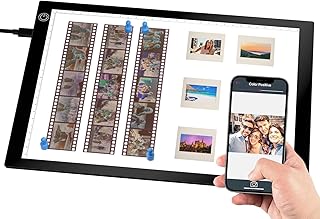
Slide Scanner Ultra Thin 12 x 9 Inch LED Light Panel
Why We Love It
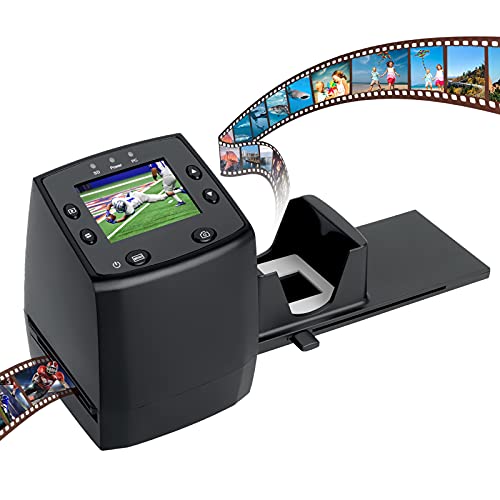
DIGITNOW! 1800DPI High Resolution 5M/10M Photo and Film
Why We Love It
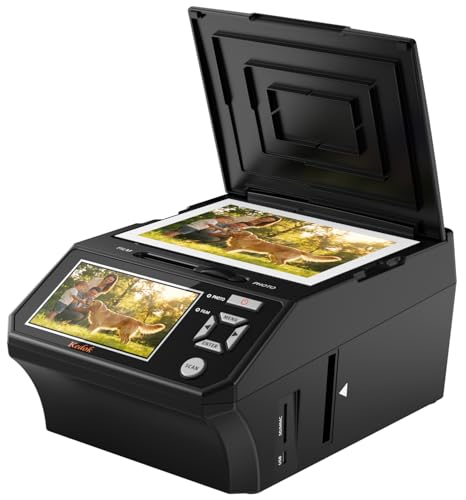
Multifunction Scanner for Photos
Why We Love It

Digital Photo Slide & Film Scanner with Popular Scanner 2.4
Why We Love It

Nedis FISC3650BK Film Scanner
Why We Love It
Quick Pick
10 Best 35mm Photo Scanner Of 2026
Quick Pick
Magnasonic All-In-One 24MP Film Scanner with Large 5" Display & HDMI, Converts 35mm/126/110/Super 8 Film & 135/126/110 Slides into Digital Photos, Built-in Memory (FS71)
Kodak Mobile Film Scanner – Scan & Save Old 35mm Films & Slides w/Your Smartphone Camera – Portable, Collapsible Scanner w/Built-in LED Light & Free Mobile App for Scanning, Editing & Sharing Photos | Scan and view old 35mm color and B&W negatives and slides; LED backlit; Android compatible; verify iPhone compatibility first
Scanner Movies, Viewer Slides, Negatives and Photos | 35mm/135, JPEG 22MP, 2.4" LCD, 4GB SD, Photo Scanner, Negative Scanner, Digital Slide Converter, USB Windows/Mac
KODAK RODFS70 Kodak Slide And Scan Digital Film Scanner 7 Inches Max - Large 7 Inches LCD Screen, Convert Color and B and W Negatives and Slides 35 mm, High Resolution 22 MP JPEGs,Black
K2 Negative and Slide Scanner 35 mm, Digitizer for Mobile | Includes Magnetic Plate for Large Mobiles, Cleaning Cloth and Free Intuitive App, Orange and Grey
Slide Scanner Ultra Thin 12 x 9 Inch LED Light Panel, Negative and Film Photo Slides, Slide Scanner for Digitizing, Portable, Converts 35 mm Slides into Digital JPG Images for Negative Film Photo
DIGITNOW! 1800DPI High Resolution 5M/10M Photo and Film Scanner, convert 35mm/135 mm Negative &Slide to Digital JPG saved into SD card, No Computer/Software Required to Operate
Multifunction Scanner for Photos, Slides and Negatives, LCD 5"
Digital Photo Slide & Film Scanner with Popular Scanner 2.4 inch 8.1 Mega Pixels 4 in 1 Photo and Film Scanner 135 Negative Scanner Photo Scanner Combo Scanner Views on Your Computer or USB(Black)
Nedis FISC3650BK Film Scanner | 35.0 mm | 10 MPixel | Scan resolution: 1800 DPI / 3600 DPI | Scan time: 2 s | USB Powered | Software included | Black
Buying Guide: 35mm Photo Scanner
📋 Table of Contents
1What resolution should I look for in a 35mm photo scanner?
A minimum of 2400 DPI is standard for scanning 35mm film, but 4800 DPI or higher is ideal for capturing fine details and ensuring sharp, high-quality digital images. Higher resolution helps preserve grain structure and color accuracy, especially for enlargements or archival purposes.
2Should I choose a flatbed or dedicated film scanner?
Dedicated film scanners are optimized for 35mm film with precise lighting and optics, offering better color fidelity and detail than flatbed scanners. Flatbeds are more versatile but may not deliver the same level of clarity, making them less ideal for serious film digitization projects.
3What is the importance of a dust and scratch removal feature?
This feature uses software algorithms to reduce the appearance of dust spots and scratches on the film, improving the final image quality without needing to clean the film first. It’s especially useful for older or damaged film, but won’t fix severe physical damage.
4How much storage space do I need for scanning 35mm film?
A single 35mm film reel holds about 24 exposures, and each scan at 4800 DPI can take up 50-100MB per image. For a full reel, plan on 1.2GB to 2.4GB of storage. Use lossless formats like TIFF for archival quality, or JPEG for more compact storage if you don’t need maximum detail.
5Are there any common mistakes to avoid when using a 35mm photo scanner?
Avoid scanning film that’s curled or warped, as it can cause misalignment and poor image quality. Also, ensure the scanner is properly calibrated and use a dust cover to prevent contamination. Don’t skip the preview step before finalizing scans to catch any issues early.
How we choose
Our editors are people who genuinely love testing and writing about products. We compare each product's real-world usability and strengths, then distill what matters most into our own "Why We Love It" points — so you get an honest, at-a-glance sense of what counts before you buy.