10 Best 34 Inch Ips Monitors Of 2026
34 Inch Ips Monitors — Reviews, Recommendations & Updated Buying Guide November 2026


Z-Edge 34" UWQHD 165Hz 1ms Curved IPS Gaming Monitor
Why We Love It


LG 34U650A-B 34-inch UltraWide WQHD (3440 x 1440) IPS Curved
Why We Love It

LG Ultragear 34G600A-B.AEU 34-Inch Gaming Monitor
Why We Love It

LG 34WQ75C-B.AUS 34" Curved UltraWide™ QHD IPS HDR 10
Why We Love It

KOORUI 34 inch Gaming Monitor
Why We Love It

Dell 34 Plus USB-C Monitor - S3425DW
Why We Love It
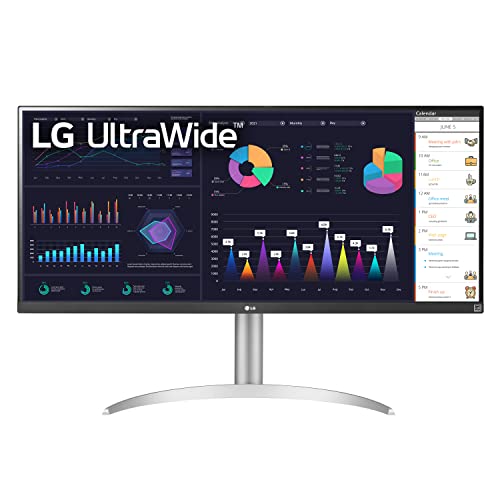
LG 34WQ650 W 34 Inch 21:9 UltraWide Full HD 2560 x 1080 IPS
Why We Love It

Xiaomi Mi Monitor G34WQI
Why We Love It
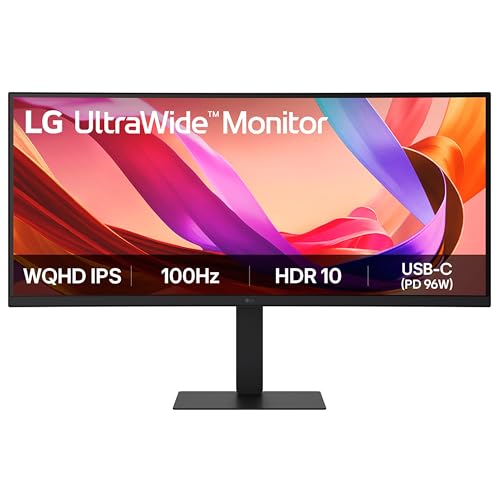
LG UltraWide Monitor 34U650A-B
Why We Love It

KOORUI 34 Inch UltraWide Curved Gaming Monitor
Why We Love It
Quick Pick
10 Best 34 Inch Ips Monitors Of 2026
Quick Pick
Z-Edge 34" UWQHD 165Hz 1ms Curved IPS Gaming Monitor, FreeSync, 1500R Curvature, UWQHD 3440 * 1440, 96% DCI-P3, 1.07 Colors, 300 cd/㎡, 21:9, Powerful Connections, 2000:1, UG34I-Black
LG 34U650A-B 34-inch UltraWide WQHD (3440 x 1440) IPS Curved Wide Computer Monitor, 100Hz, HDR10, Built-in Speaker, HDMI, DisplayPort, USB Type-C PD 96W, Tilt/Height/Swivel Adjustable Stand, Black
LG Ultragear 34G600A-B.AEU 34-Inch Gaming Monitor - VA Panel QHD (3440 x 1440), 5ms GtG 160Hz, HDR 10, sRGB 99% (CIE1931), FreeSync Premium
LG 34WQ75C-B.AUS 34" Curved UltraWide™ QHD IPS HDR 10 Built-in-KVM-Monitor with USB Type-C™ & LAN (RJ-45)
KOORUI 34 inch Gaming Monitor, 240Hz, Ultrawide UWQHD (3440x1440P), Curved 1500R, HDR400, PIP/PBP, 1ms MPRT, Adaptive Sync, Height Adjustable, DP,HDMI,PS5 G3441XC
Dell 34 Plus USB-C Monitor - S3425DW, WQHD (3440x1440), 21:9 Curved, 120Hz, VA, 1ms, AMD FreeSync Premium, HDR10, Height Adjust, Built-in Speakers, 2 USB-C, 2 HDMI, 3 Year Warranty | AMD FreeSync Premium, 21:9 Curved, HDR10, Height Adjust, Built-in Speakers, 2 USB-C, 2 HDMI, 2 USB, 3 Year Warranty
LG 34WQ650 W 34 Inch 21:9 UltraWide Full HD 2560 x 1080 IPS Monitor, Black, 34WQ650-W.AUS
Xiaomi Mi Monitor G34WQI, 34 Inch Curved Gaming Monitor, Black, EU ELA5454EU, QHD Ultra Wide 1440p
LG UltraWide Monitor 34U650A-B, Curved UWQHD 1440p IPS, 34 inch, 100Hz, 5ms GtG, HDR10, Speakers, HDMI, DP, USB-C (96W PD), Black
KOORUI 34 Inch UltraWide Curved Gaming Monitor, WQHD 180Hz, HDR400 | 3440x1440, 1000R VA Panel, 1ms MPRT, Adaptive Sync, 90% DCI-P3, PiP/PbP, DP 1.4, HDMI 2.0, VESA 75 × 75 mm
Buying Guide: 34 Inch Ips Monitors
📋 Table of Contents
1What resolution should I look for in a 34-inch IPS monitor?
Opt for at least QHD (2560x1440) for sharp visuals and smooth scaling, or go for 3440x1440 UltraWide QHD for more screen real estate. Full HD (1920x1080) feels stretched on a 34-inch panel and looks less crisp for detailed work or gaming.
2Is a curved screen better than flat for a 34-inch IPS monitor?
Curved screens (1800R to 2000R radius) offer a more immersive experience and reduce eye strain during long sessions, especially for media and gaming. Flat screens are better for multi-monitor setups or if you prefer a traditional look and feel.
3What refresh rate and response time matter for gaming or work?
For casual use, 60Hz is fine, but 144Hz or higher is ideal for competitive gaming. Look for a 1ms or 4ms GtG response time to avoid motion blur. IPS panels are slower than TN, but modern models often use overdrive to reduce ghosting without visible overshoot.
4What connectivity options should I check before buying?
Ensure the monitor has at least one HDMI 2.0 or DisplayPort 1.4 for 4K or high refresh rates. USB-C with power delivery is a bonus for laptop users. Multiple ports (USB, audio) can eliminate the need for a separate hub, especially for UltraWide models.
5Are built-in speakers worth relying on for a 34-inch IPS monitor?
Most built-in speakers are low-powered and suitable only for light use like video calls or background music. For serious audio, invest in external speakers or headphones. Check if the monitor supports audio passthrough if using it with a PC or console.
How we choose
Our editors are people who genuinely love testing and writing about products. We compare each product's real-world usability and strengths, then distill what matters most into our own "Why We Love It" points — so you get an honest, at-a-glance sense of what counts before you buy.