10 Best 32 Inch Monitor Arms Of 2026
32 Inch Monitor Arms — Reviews, Recommendations & Updated Buying Guide November 2026


MOUNTUP Single Monitor Desk Mount Holds Screen up to 32 inch
Why We Love It


HUANUO Single Monitor Arm Desk Mount for 13 to 32 inch
Why We Love It

HUANUO FlowLift™ Dual Monitor Stand
Why We Love It

HUANUO FlowLift™ Pro Monitor Arm for 13–32" Screens
Why We Love It

HUANUO FlowLift™ Pro Dual Monitor Arm for 13–32" Screens
Why We Love It

Single Monitor Mount for 13-32 inch Screen
Why We Love It

MOUNTUP Dual Monitor Stand
Why We Love It
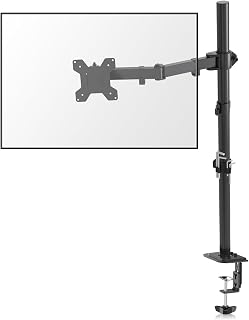
Suptek Single Monitor Arm
Why We Love It

MOUNTUP Single Monitor Mount for 13-32 inch Screen
Why We Love It

Dual Monitor Arm with Laptop Tray - Dual Vesa Mount Arm
Why We Love It
Quick Pick
10 Best 32 Inch Monitor Arms Of 2026
Quick Pick
MOUNTUP Single Monitor Desk Mount Holds Screen up to 32 inch, Height Adjustable Monitor Arm, Computer Monitors Stand with Clamp/Grommet Base, VESA Mounts Fit 2-9kg Computer, Black, MU0004
HUANUO Single Monitor Arm Desk Mount for 13 to 32 inch Screens, Tool Free Height Adjustable Monitor Stand with Tilt Swivel Rotate, 75 & 100mm VESA Mount, Load 9kg, C-clamp & Grommet Options
HUANUO FlowLift™ Dual Monitor Stand, Fully Adjustable Gaming Monitor Desk Mount for 13–32″ Computer Screens, Full Motion VESA 75x75/100x100 with C-Clamp & Grommet Base, Each Arm Holds 4.4 to 19.8 lbs
HUANUO FlowLift™ Pro Monitor Arm for 13–32" Screens, MechaSpring Monitor Mount, Fully-Adjustable Monitor Stand with Tilt/Swivel/Rotation, Tool-Free VESA Mount, C-Clamp/Grommet Base, Max Load 19.8 lbs
HUANUO FlowLift™ Pro Dual Monitor Arm for 13–32" Screens, MechaSpring Monitor Mount, Adjustable Monitor Arm with Tilt/Swivel/Rotation, Tool-Free VESA Mount, C-Clamp/Grommet Base, Max Load 19.8 lbs
Single Monitor Mount for 13-32 inch Screen, Spring Arm, Gaming & Home Office Use, VESA 75x75mm & 100x100mm, Freelift Pro White
MOUNTUP Dual Monitor Stand, Vertical Monitor Mount for 2 Max 32 inch Stack Screen Monitors, Height Adjustable, Swivel, Tilt Monitor Desk Mount with C Clamp Grommet Base
suptek Single Monitor Arm, Tall Monitor Stand 80cm Pole, Max Load 10kg, Monitor Arm Desk Mount for 13-32 inch Screens PC Monitor Stands - Desk Mounted Monitor Mount MD6821
MOUNTUP Single Monitor Mount for 13-32 inch Screen, Spring Arm, Gaming & Home Office Use, VESA 75x75mm & 100x100mm, Freelift Pro Black
Dual Monitor Arm with Laptop Tray - Dual Vesa Mount Arm, Monitor Stand with Laptop Holder, Dual Screen Mount for 13-32", 2 Vesa Stand Up to 8Kg for Gaming & Office (Black)
Buying Guide: 32 Inch Monitor Arms
📋 Table of Contents
1What weight capacity should I look for in a 32 inch monitor arm?
Look for a weight capacity of at least 15-20 pounds to support most 32-inch monitors, especially if they have stands or are made of heavier materials like metal. A higher capacity ensures stability and reduces the risk of wobbling or damage over time.
2What mounting options are best for a 32 inch monitor arm?
Choose arms with VESA 75x75 or 100x100mm compatibility for most desktop monitors. Some models also support grommet mounts or clamp-style bases for flexibility. Ensure the arm can adjust height, tilt, and swivel for ergonomic use.
3Is a fixed or adjustable arm better for a 32 inch monitor?
Adjustable arms offer greater flexibility for positioning your monitor at eye level and reducing strain. Look for models with 360-degree rotation, vertical and horizontal movement, and height adjustment ranges of at least 12-18 inches for optimal ergonomics.
4What materials are best for durability and stability?
Steel or aluminum arms are more durable and stable than plastic, especially for heavier monitors. Look for reinforced joints and a solid base to prevent tipping. Avoid lightweight or flimsy designs for long-term use.
5Are there any common mistakes to avoid when buying a 32 inch monitor arm?
Don’t overlook the maximum height or reach of the arm — it should fit your desk and workspace. Also, ensure the arm is compatible with your monitor’s VESA pattern and that it includes all necessary mounting hardware for a secure installation.
How we choose
Our editors are people who genuinely love testing and writing about products. We compare each product's real-world usability and strengths, then distill what matters most into our own "Why We Love It" points — so you get an honest, at-a-glance sense of what counts before you buy.