10 Best 2tb Network Attached Storage Of 2026
2tb Network Attached Storage — Reviews, Recommendations & Updated Buying Guide November 2026


UGREEN DH2300 2 Bay Desktop NAS
Why We Love It


Buffalo LinkStation 210 2TB 1-Bay NAS Network Attached
Why We Love It

UGREEN NASync DH4300 Plus 4-Bay Desktop NAS
Why We Love It
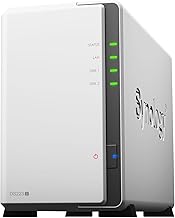
Synology 2-Bay DiskStation DS223j (Diskless)
Why We Love It

TERRAMASTER F2-425 2-Bay NAS
Why We Love It

UGREEN NAS DXP4800 GT 4-Bay for Creators
Why We Love It

Synology DiskStation DS423 Network Attached Storage Drive
Why We Love It

Unifi Network Attached Storage Pro (UNAS-PRO) | 7 bays
Why We Love It
Quick Pick
10 Best 2tb Network Attached Storage Of 2026
Quick Pick
UGREEN DH2300 2 Bay Desktop NAS, Cloud Backup, 4K HDMI,AI Album NAS Server | 1GbE Port, 4GB RAM, Cloud Backup, Remote Access, NFC, Multi-Device Connectivity, Versatile Expansion Ports (Diskless)
Buffalo LinkStation 210 2TB 1-Bay NAS Network Attached Storage with HDD Hard Drives Included NAS Storage That Works as Home Cloud or Network Storage Device for Home
UGREEN NASync DH4300 Plus 4-Bay Desktop NAS, 4K HDMI NAS Server for Home | 2.5 GbE Port, 8GB LPDDR4X RAM, A76+A55 8 Cores SoC, Cloud Backup, Remote Access, NFC, Multi-Device Connectivity (Diskless)
Synology 2-Bay DiskStation DS223j (Diskless)
TERRAMASTER F2-425 2-Bay NAS, N5095, 4GB DDR4, 2.5GbE, Diskless | Auto-back up phones and PCs, organize photos with local AI, and stream 4K media via Plex or Emby from one home NAS.
UGREEN NAS DXP4800 GT 4-Bay for Creators, Tech Enthusiasts and Office Teams | Smart Home Data Hub, Direct NAS Editing & Dual 10GbE Transfers, Ryzen R2514, 8GB DDR4, 2x 10GbE, 2x M.2 NVMe Slots, Diskless
Synology DiskStation DS423 Network Attached Storage Drive (Black)
Unifi Network Attached Storage Pro (UNAS-PRO) | 7 bays | 2U Rack-Mount NAS | Supports 2.5" & 3.5" drives, Spinning & SSDs | 10 Gbps - Silver
Buying Guide: 2tb Network Attached Storage
📋 Table of Contents
1What transfer speed should I look for in a 2TB NAS?
For smooth file sharing and backups, aim for at least 1 Gbps (Gigabit Ethernet) with support for 10 Gbps for faster transfers. USB 3.2 or Thunderbolt 3 ports can also boost speeds for direct device connections, especially for large media files or video editing.
2Should I choose a single-disk or RAID configuration for my 2TB NAS?
A single-disk setup is simpler and cheaper but offers no redundancy. RAID 1 or RAID 5 configurations provide data protection by mirroring or striping data across multiple drives, which is crucial for critical files, though they require more drives and slightly reduce usable storage space.
3What file system is best for a 2TB NAS?
For cross-platform compatibility, choose a NAS that supports both NTFS (for Windows) and HFS+ or APFS (for macOS). Some models use a proprietary file system like Btrfs or ZFS, which offer advanced features like snapshots and data integrity checks, but may require more technical setup.
4How much RAM is enough for a 2TB NAS?
At least 1 GB of RAM is sufficient for basic file storage and sharing, but 2 GB or more is recommended for smoother performance, especially if you're running apps like media servers, cloud sync services, or virtual machines on the NAS.
5What backup options are essential for a 2TB NAS?
Look for built-in support for cloud backup (like Dropbox, Google Drive, or Backblaze) and local backup via external drives or another NAS. Regular snapshots and RAID configurations are also vital for recovering from hardware failure or accidental deletion without losing data.
How we choose
Our editors are people who genuinely love testing and writing about products. We compare each product's real-world usability and strengths, then distill what matters most into our own "Why We Love It" points — so you get an honest, at-a-glance sense of what counts before you buy.