10 Best 2k Qhd Ips Computer Monitor Of 2026
2k Qhd Ips Computer Monitor — Reviews, Recommendations & Updated Buying Guide November 2026


BenQ EW270Q 27" 2K QHD 200Hz IPS Gaming Monitor with USB-C
Why We Love It


GAMEON GOAE24QHD180IPS 24 Inch Gaming Monitor QHD 2K 180Hz
Why We Love It
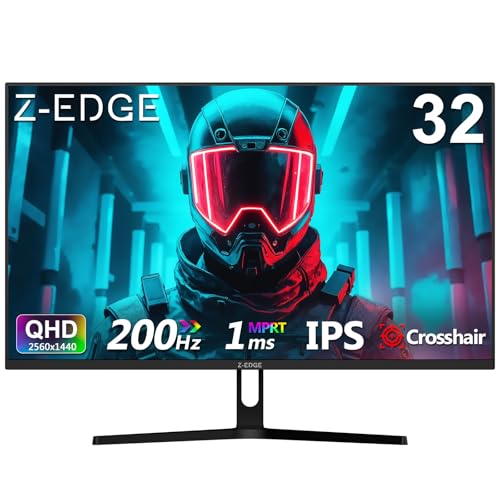
Z-Edge 32 Inch Gaming Monitor
Why We Love It

Xiaomi 2K Gaming Monitor G27Qi
Why We Love It

DarkFlash S275QR 27 Inch 2K(QHD) 240Hz 1MS Fast IPS Gaming
Why We Love It

BenQ PD2706QN 27” IPS 2K QHD Display P3 90W USB-C Designer
Why We Love It
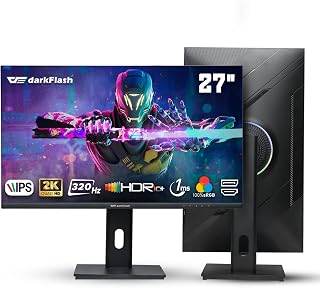
DarkFlash S275QT 27 Inch 2K(QHD) 320Hz 1MS Fast IPS Gaming
Why We Love It

KOORUI 27" QHD IPS Gaming Monitor: Immerse in 95% DCI-P3
Why We Love It

ASUS ProArt Display PA278QV Gen2 (PA278QGV) Professional
Why We Love It

KTC 24 Inch QHD 100Hz Computer Monitor IPS 2K
Why We Love It
Quick Pick
10 Best 2k Qhd Ips Computer Monitor Of 2026
Quick Pick
BenQ EW270Q 27" 2K QHD 200Hz IPS Gaming Monitor with USB-C (65W) HDRi | 1200:1 Contrast | 90% P3 Gamut | 350 Nits | Built-in Speakers (5W x2) | AMD FreeSync Premium | HDMI | Game Color Mode
GAMEON GOAE24QHD180IPS 24 Inch Gaming Monitor QHD 2K 180Hz Fast IPS Computer Monitor, 0.5ms MPRT, HDMI 2.1, HDR, 99% sRGB, G-Sync & FreeSync Compatible, Built-in Speakers, PS5 & Console Ready, Black
Z-Edge 32 Inch Gaming Monitor, QHD 2K 200Hz,IPS LED,FreeSync,100% sRGB,UG32
Xiaomi 2K Gaming Monitor G27Qi, QHD 2560×1440, Fast IPS, 180Hz 1ms, AMD Freesync, 100% sRGB, 178 Viewing Angle, 2× HDMI2.0 DP 1.4×2, Black
darkFlash S275QR 27 Inch 2K(QHD) 240Hz 1MS Fast IPS Gaming Monitor, HDR10+, 100% sRGB,1.07B Colors, Compatible with HDMI/DP, ARGB Backlight Esports Monitor for Gamers (27inch 240Hz 2KQHD)
BenQ PD2706QN 27” IPS 2K QHD Display P3 90W USB-C Designer Monitor
DarkFlash S275QT 27 Inch 2K(QHD) 320Hz 1MS Fast IPS Gaming Monitor, HDR10+, 100% sRGB,1.07B Colors,Compatible with HDMI 2.1, ARGB Backlight Computer Monitor for Gamers (27 Inch 320hz QHD)
KOORUI 27" QHD IPS Gaming Monitor: Immerse in 95% DCI-P3 Color | 200Hz, 1ms, 350 Nits, HDR400, FreeSync Premium,Tilt Adjustable,Black
ASUS ProArt Display PA278QV Gen2 (PA278QGV) Professional Monitor – 27-inch, IPS, QHD (2560 x 1440), 120Hz, Light Sync, ergonomic stand, VESA MediaSync, Green Sustainability - Grey
KTC 24 Inch QHD 100Hz Computer Monitor IPS 2K, 1300:1 Contrast, Anti-Blue Light Screen, 122% sRGB, Support FreeSync and GSync, HDMI2.0/DP/Earphone for Gaming and Office Working H24T27
Buying Guide: 2k Qhd Ips Computer Monitor
📋 Table of Contents
1What resolution and panel type should I look for in a 2K QHD IPS monitor?
A 2K QHD monitor offers 2560x1440 resolution, providing sharper text and more detailed visuals than 1080p. IPS panels ensure wide viewing angles and accurate color reproduction, making them ideal for design, video editing, and multitasking across multiple windows.
2How does refresh rate impact performance for gaming or video editing?
For gaming, a 144Hz or higher refresh rate reduces motion blur and input lag, while 60Hz is sufficient for general use or video editing. If you game frequently, prioritize a monitor with a high refresh rate and low response time (1ms to 5ms) for smoother gameplay.
3What are the differences between QHD and 4K monitors for productivity?
QHD (2560x1440) offers a balance between resolution and performance, making it ideal for multitasking and reducing eye strain. 4K (3840x2160) provides more screen real estate but may require a more powerful GPU and can be harder on the eyes during long sessions without proper scaling settings.
4Is a built-in webcam and speakers worth the extra cost?
A built-in webcam and speakers can be convenient for video calls and multimedia use, but they often compromise on quality. If you need high-definition video conferencing, consider a monitor with a 1080p webcam or invest in a separate external webcam for better performance and privacy.
5What size monitor is best for a 2K QHD IPS display?
27-inch to 32-inch monitors are ideal for 2K QHD, as they provide a good balance between screen real estate and pixel density. Larger screens may appear less sharp, while smaller ones may not fully utilize the resolution for multitasking or media consumption.
How we choose
Our editors are people who genuinely love testing and writing about products. We compare each product's real-world usability and strengths, then distill what matters most into our own "Why We Love It" points — so you get an honest, at-a-glance sense of what counts before you buy.