10 Best 200hz Ips Computer Monitor Of 2026
200hz Ips Computer Monitor — Reviews, Recommendations & Updated Buying Guide November 2026


KOORUI Gaming Monitor 24-inch IPS FHD 1080p
Why We Love It


KOORUI 27" QHD IPS Gaming Monitor: Immerse in 95% DCI-P3
Why We Love It

BenQ EW270Q 27" 2K QHD 200Hz IPS Gaming Monitor with USB-C
Why We Love It

GAMEON GOMM24FHD200IPS Dominator Series 24" Black Gaming
Why We Love It

ASUS TUF Gaming VG249Q5R 24 Inch Full HD Monitor (200 Hz
Why We Love It

GAMEON 24 inch Fast IPS Gaming Monitor Marksman Series
Why We Love It

FeuVision 27inch Computer Monitor
Why We Love It
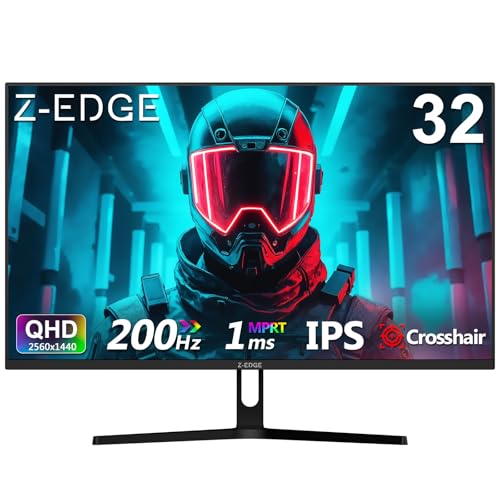
Z-Edge 32 Inch Gaming Monitor
Why We Love It

KTC 24.5'' Gaming Monitor
Why We Love It

Acer Nitro VG240Y X1 23.8" FHD IPS Gaming Monitor
Why We Love It
Quick Pick
10 Best 200hz Ips Computer Monitor Of 2026
Quick Pick
KOORUI Gaming Monitor 24-inch IPS FHD 1080p, 200Hz 1ms HDR400 90% DCI-P3 Color Gamut, Adaptive Sync Ultra Slim Frame, VESA Mountable, HDMI x 2, DisplayPort, Black, G2411P
KOORUI 27" QHD IPS Gaming Monitor: Immerse in 95% DCI-P3 Color | 200Hz, 1ms, 350 Nits, HDR400, FreeSync Premium,Tilt Adjustable,Black
BenQ EW270Q 27" 2K QHD 200Hz IPS Gaming Monitor with USB-C (65W) HDRi | 1200:1 Contrast | 90% P3 Gamut | 350 Nits | Built-in Speakers (5W x2) | AMD FreeSync Premium | HDMI | Game Color Mode
GAMEON GOMM24FHD200IPS Dominator Series 24" Black Gaming Monitor – FHD IPS, 200Hz Overclocked, HDR400, 0.5ms MPRT, FreeSync & G-Sync, HDMI 2.1, Console compatible.
ASUS TUF Gaming VG249Q5R 24 Inch Full HD Monitor (200 Hz, 0.3ms GtG, FreeSync Premium, Adaptive Sync, ELMB, GameFast Input, HDR10, Fast-IPS Panel, 16:9, 1920x1080, DisplayPort, HDMI, Speaker)
GAMEON 24 inch Fast IPS Gaming Monitor Marksman Series – FHD 1920x1080, 200Hz Overclocked, 0.5ms MPRT, HDR400, FreeSync G-Sync Compatible, HDMI 2.1 & DP 1.4, Console compatible, GOAM24FHD200IPS White
FeuVision 27inch Computer Monitor, QHD 1440p, 200Hz, IPS, Office and Gaming Monitor, 1ms Response Time, 3-Sided Frameless, Ultra Slim, VESA Mountable, Anti-Blue Light Design, HDMI, DP
Z-Edge 32 Inch Gaming Monitor, QHD 2K 200Hz,IPS LED,FreeSync,100% sRGB,UG32
KTC 24.5'' Gaming Monitor,1080P 180Hz (Up to 200Hz) Computer Monitor H25T7 | HDR10, Adaptive Sync, Eye Care PC Gamer Monitor, HDMIx2, DP, VESA Mountable, Tilt Adjustable Fast IPS 128% sRGB
Acer Nitro VG240Y X1 23.8" FHD IPS Gaming Monitor, 200Hz Refresh Rate, 1ms Response, FreeSync, HDMI & DisplayPort, UM.QV0EE.102, Black
Buying Guide: 200hz Ips Computer Monitor
📋 Table of Contents
1What refresh rate and response time should I look for in a 200Hz IPS monitor?
A 200Hz refresh rate is ideal for smooth motion in gaming or video editing, but ensure the monitor has a response time of 1ms (GTG) for minimal motion blur. Lower response times prevent ghosting, especially in fast-paced content or competitive gaming.
2Is a 200Hz IPS monitor better than a 144Hz TN panel for gaming?
IPS panels offer superior color accuracy and wider viewing angles, making them better for design or multi-tasking, but TN panels typically have faster response times. A 200Hz IPS is a good balance if you prioritize both color and smoothness, though it may lag slightly behind TN in extreme gaming scenarios.
3What resolution is best suited for a 200Hz IPS monitor?
For gaming, 1080p or 1440p is common, as higher resolutions may strain the GPU. For productivity or creative work, 27-inch 1440p or 4K IPS monitors with 200Hz are available, but ensure your system can handle the increased graphical demand without performance drops.
4Do I need a high-end GPU to run a 200Hz IPS monitor effectively?
Yes — a 200Hz monitor requires a powerful GPU to maintain consistent frame rates, especially in graphically intensive games or applications. Mid-to-high-end GPUs like the RTX 3060 or better are recommended to avoid screen tearing and input lag.
5What kind of connectivity ports should I look for on a 200Hz IPS monitor?
Look for at least one HDMI 2.1 and DisplayPort 1.4 port for high refresh rates and low latency. USB-C with DisplayPort Alt Mode is also useful for docking and charging. Avoid monitors with only older HDMI or VGA ports, as they may limit performance or compatibility.
How we choose
Our editors are people who genuinely love testing and writing about products. We compare each product's real-world usability and strengths, then distill what matters most into our own "Why We Love It" points — so you get an honest, at-a-glance sense of what counts before you buy.