10 Best 2 Port Print Servers Of 2026
2 Port Print Servers — Reviews, Recommendations & Updated Buying Guide November 2026


Airshi WiFi Print Server
Why We Love It


Wireless Print Server
Why We Love It

Usb2.0 Printer Sharer Switcher
Why We Love It

Tripp Lite 2-Port USB 2.0 Hi-Speed Sharing Switch for
Why We Love It

Wireless Print Server for USB Printer (NOT Plug&Play)
Why We Love It

KENANLAN USB Print Server
Why We Love It
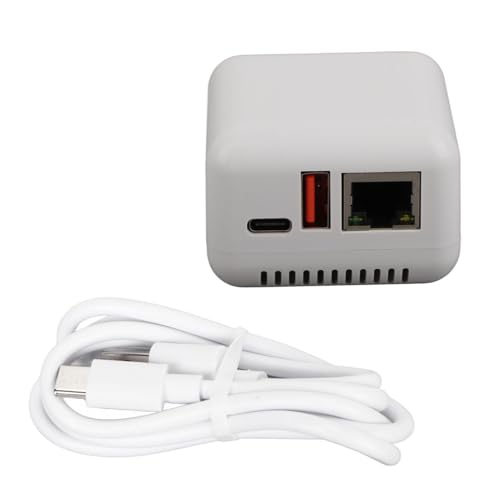
Gonetre USB 2.0 Print Server
Why We Love It

Generic USB Wireless Print Server
Why We Love It

TIKATARER USB 2.0 Network Print Server 5V
Why We Love It

Cryfokt USB Wireless Print Server
Why We Love It
Quick Pick
10 Best 2 Port Print Servers Of 2026
Quick Pick
Airshi WiFi Print Server, LAN Print Share Server Supports Image Printing, Multiple Interfaces, Maximum Support 256GB forXP, USB 2.0Print Server (UK Plug)
Wireless Print Server, 2 Port USB 2.0 WiFi Print Server with 100Mbps LAN & Bridge, Wired/Wireless/Standalone Modes, Compatible with Windows 10 8 7 XP, Mac OS and All RAW-Supported Printers
Usb2.0 Printer Sharer Switcher, 2 Port Usb B Print Selector Switch Adapter With Led Light, Computers Share 1 Manual Switching, Including * 1.5M Cables
Tripp Lite 2-Port USB 2.0 Hi-Speed Sharing Switch for Printer/ Scanner /Other (U215-002)
Wireless Print Server for USB Printer (NOT Plug&Play), 2 Port USB Print Server, Convert Wired Printer to Wireless WiFi Ethernet Networking - Windows Mac Linux Compliant - CR202
KENANLAN USB Print Server, LAN Print Share Server Wireless Printer Adapter, Supports Printers with Standard USB 2.0 Ports, Simple and Compact Design, Maximum 256GB Memory Card Support (UK Plug)
Gonetre USB 2.0 Print Server, Print Share Server with Wired Printing for 3.4 (UK Plug)
Generic USB Wireless Print Server, Convert USB Printer to WiFi Printer with 480Mbps 2.0 Port & 10/100Mbps LAN Bridge, Compatible with OS X, for Home and Use
TIKATARER USB 2.0 Network Print Server 5V, Wired Print Share (GB Plug)
Cryfokt USB Wireless Print Server, ConvertUSB Printer to WiFi Printer with 480Mbps USB 2.0 Port and 10/100Mbps LAN Bridge, Compatible with and OS X, for Home and Use
Buying Guide: 2 Port Print Servers
📋 Table of Contents
1What network speed should I look for in a 2 port print server?
Opt for models supporting at least 10/100 Mbps Ethernet for reliable printing over local networks. Higher speeds like Gigabit (1000 Mbps) are ideal for high-volume environments, ensuring faster data transfer and reducing print job delays.
2How does a 2 port print server compare to a 4 port one in terms of performance?
A 2 port server is best for small offices or home use with just one or two printers, while a 4 port model offers more scalability. However, 2 port servers are typically more compact, cost-effective, and sufficient for low-to-moderate print traffic without unnecessary complexity.
3What should I check for compatibility with different printer brands?
Ensure the print server supports standard protocols like TCP/IP, IPP, and LPD, which work with most major printer brands. Look for models that are compatible with both Windows and macOS, and check if they support USB or parallel port connections for your specific printer models.
4Is it worth paying more for a print server with built-in Wi-Fi?
If your printers are not near an Ethernet port, a Wi-Fi-enabled 2 port print server can be a good investment. However, for most small setups, a wired Ethernet connection is more stable and secure. Consider your network layout and security needs before upgrading to Wi-Fi.
5What are common mistakes to avoid when setting up a 2 port print server?
Avoid connecting multiple devices to the same port or using outdated drivers, which can cause conflicts. Always configure the server’s IP address correctly and ensure your printer is properly connected and powered on before attempting to share it over the network.
How we choose
Our editors are people who genuinely love testing and writing about products. We compare each product's real-world usability and strengths, then distill what matters most into our own "Why We Love It" points — so you get an honest, at-a-glance sense of what counts before you buy.