10 Best 2 Bay Network Attached Storage Of 2026
2 Bay Network Attached Storage — Reviews, Recommendations & Updated Buying Guide November 2026


UGREEN DH2300 2 Bay Desktop NAS
Why We Love It

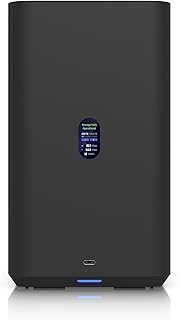
Ubiquiti UNAS 2 UniFi 2-Bay Network Attached Storage
Why We Love It

TERRAMASTER F2-425 2-Bay NAS
Why We Love It
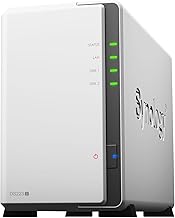
Synology 2-Bay DiskStation DS223j (Diskless)
Why We Love It

Asustor 2 Bay NAS DRIVESTOR 2 AS1102T
Why We Love It
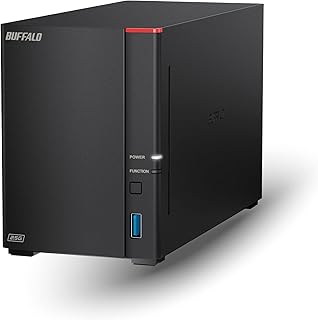
BUFFALO LinkStation 720 2-Bay Professional Network Storage
Why We Love It
Quick Pick
10 Best 2 Bay Network Attached Storage Of 2026
Quick Pick
UGREEN DH2300 2 Bay Desktop NAS, Cloud Backup, 4K HDMI,AI Album NAS Server | 1GbE Port, 4GB RAM, Cloud Backup, Remote Access, NFC, Multi-Device Connectivity, Versatile Expansion Ports (Diskless)
Ubiquiti UNAS 2 UniFi 2-Bay Network Attached Storage - Black (UNAS-2-B)
TERRAMASTER F2-425 2-Bay NAS, N5095, 4GB DDR4, 2.5GbE, Diskless | Auto-back up phones and PCs, organize photos with local AI, and stream 4K media via Plex or Emby from one home NAS.
Synology 2-Bay DiskStation DS223j (Diskless)
Asustor 2 Bay NAS DRIVESTOR 2 AS1102T, 1.4GHz Quad Core, 2.5GbE Port, 1GB RAM DDR4, Network Attached Storage, Personal Private Cloud (Diskless)
BUFFALO LinkStation 720 2-Bay Professional Network Storage 4TB (2x2TB) with Hard Drives Included
Buying Guide: 2 Bay Network Attached Storage
📋 Table of Contents
1What storage capacity should I look for in a 2 bay NAS?
A 2 bay NAS typically offers 2-8TB of total storage, depending on drive size. For home use, 4TB (two 2TB drives) is common, while 8TB (two 4TB drives) suits small businesses. Look for models that support future expansion or RAID configurations for redundancy and performance.
2What network speeds are important for a 2 bay NAS?
At least 1 Gbps Ethernet is standard, but 2.5 Gbps or 10 Gbps is better for faster file transfers. If you're using the NAS for media streaming or large file sharing, higher speeds reduce lag and improve overall performance.
3Should I choose a NAS with RAID support?
Yes — RAID 1 mirrors data across both drives, providing redundancy in case one fails. While it halves your total storage, it ensures data safety. Avoid models without RAID unless you're comfortable with manual backups and risk of data loss.
4What operating system or software should I prioritize?
Look for NAS devices with user-friendly interfaces like Synology DSM or QNAP QTS, which offer advanced features like remote access, backup tools, and media server capabilities. Free OS options may lack these features, so consider your long-term needs.
5What are common mistakes when setting up a 2 bay NAS?
Many users neglect to enable automatic backups or set up proper user permissions. Also, not securing the NAS with a strong password or firewall can expose it to hacking. Always configure settings for data protection and remote access security from the start.
How we choose
Our editors are people who genuinely love testing and writing about products. We compare each product's real-world usability and strengths, then distill what matters most into our own "Why We Love It" points — so you get an honest, at-a-glance sense of what counts before you buy.