10 Best 1tb Touchscreen Laptop Of 2026
1tb Touchscreen Laptop — Reviews, Recommendations & Updated Buying Guide November 2026


Lenovo IdeaPad Business Laptop
Why We Love It


HP 15.6" Touchscreen Laptop
Why We Love It

Lenovo Yoga Slim 7X Copilot PC Laptop 14.5" Touchscreen OLED
Why We Love It

Lenovo Yoga 7i 2-in-1 Laptop
Why We Love It

HP OmniBook X Flip 14 2-in-1 Laptop
Why We Love It

HP OmniBook 5 16-inch 2K IPS Touchscreen Laptop
Why We Love It

HP 15.6" Full HD IPS Touchscreen Laptop AMD Ryzen 5 7520U
Why We Love It

HP OmniBook 5 2025 Laptop
Why We Love It

HP i7 Touchscreen Laptop
Why We Love It
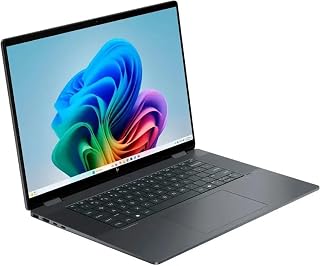
HP OmniBook X Flip 2-in-1 Laptop 2025
Why We Love It
Quick Pick
10 Best 1tb Touchscreen Laptop Of 2026
Quick Pick
Lenovo IdeaPad Business Laptop, 15.6" FHD Touchscreen Display, Intel 13th 10-Core i5 CPU (Up to 4.6 GHz), 16GB RAM, 1TB SSD, Copilot AI Ready, Wi-Fi 6, Windows 11 Pro with Microsoft Office, WOWPC USB
HP 15.6" Touchscreen Laptop | 12th Gen Intel i5-1235U (Beats i7-8700) | 16GB RAM | 1TB SSD | Iris Xe Graphics | Win 11 Pro | Fast Charge | Silver | W/Mouse
Lenovo Yoga Slim 7X Copilot PC Laptop 14.5" Touchscreen OLED 3K 1000 nits Display (Snapdragon X Elite X1E-78-100, 16GB LPDDR5X, 1TB SSD, Backlit KB, WiFi 7, Win 11 Home) (16GB RAM|1TB SSD)
Lenovo Yoga 7i 2-in-1 Laptop, 16" FHD+ 2K Touchscreen Display, 12-core Intel Core Ultra 7 155U, 16GB LPDDR5X, 1TB SSD, Backlit KB, Fingerprint, Thunderbolt 4, Win 11 Home, Storm Grey, EAT 16GB USB Pen
HP OmniBook X Flip 14 2-in-1 Laptop, Laptop Touchscreen 14" WUXGA IPS, Intel 8-core Ultra 5 226V, Intel Arc 130V GPU, 16GB RAM 1TB SSD, Thunderbolt 4, Windows 11 Home with Stylus Pen
HP OmniBook 5 16-inch 2K IPS Touchscreen Laptop, Intel 12-Core Ultra 7 255U, 16GB LPDDR5 RAM, 1TB SSD, Copilot AI, WIFI 6, Backlit English Keyboard, Win 11, silver
HP 15.6" Full HD IPS Touchscreen Laptop AMD Ryzen 5 7520U (Up to 4.3GHz), 8GB RAM, 1TB SSD, Wi-Fi 6, Bluetooth, HDMI, USB-C, Thin & Lightweight, Long Battery, Windows 11 Home Natural Silver
HP OmniBook 5 2025 Laptop | 16" 1920 x 1200 Touch IPS | Intel Core Ultra 7 255U 12-Core | 16GB LPDDR5 | 1TB SSD | Windows 11 Home | Wi-Fi 6 - BT 5.4 - Backlit KB - 1080p + IR Camera - Glacier Silver
HP i7 Touchscreen Laptop, 10-Core Intel Core i7-1355U(Up to 5GHz, Beat Core 7 160U), 16GB RAM 1TB SSD 15.6" FHD Intel Iris Xe Graphics Win 11 Pro Wifi6 w/GM Accessory Notebook for Business Gaming
HP OmniBook X Flip 2-in-1 Laptop 2025, 16" WUXGA IPS Touchscreen ~ Ultra 7 256V 8-Core ~ Arc Graphics 140V ~ 16GB LPDDR5~1TB SSD ~ Backlit KB ~ Thunderbolt 4 ~ Wi-Fi 6E ~ Win11 Home
Buying Guide: 1tb Touchscreen Laptop
📋 Table of Contents
1What processor speed and generation should I look for in a 1TB touchscreen laptop?
Opt for at least an Intel Core i5 or AMD Ryzen 5 processor, preferably from the 10th generation or newer. These offer better multitasking and performance for tasks like video editing or light gaming, while older generations may struggle with modern software demands.
2Is a touchscreen display worth the extra cost on a 1TB laptop?
Yes, if you need to interact with apps, sketch, or use touch-based software. Look for at least a 10-point multitouch display with a resolution of 1920x1080 or higher for clarity. Capacitive screens are more responsive than resistive ones, which are rare in modern laptops.
3How much RAM is enough for a 1TB touchscreen laptop?
At least 8GB of RAM is standard, but 16GB is better for multitasking, running virtual machines, or using resource-heavy applications. If you're a student or casual user, 8GB may suffice, but 16GB future-proofs the device for longer use.
4What battery life should I expect from a 1TB touchscreen laptop?
Most models offer 6-10 hours of battery life on a full charge, depending on usage. Look for laptops with at least 40Wh battery capacity and power-saving features like adaptive brightness. High-performance models may have shorter battery life due to higher power consumption.
5What storage options are best for a 1TB touchscreen laptop?
A 1TB SSD is ideal for fast boot times and quick file access, especially for large files like videos or projects. If budget allows, consider a hybrid drive with an SSD cache for speed and extra storage. Avoid HDDs for primary storage if you need responsiveness.
How we choose
Our editors are people who genuinely love testing and writing about products. We compare each product's real-world usability and strengths, then distill what matters most into our own "Why We Love It" points — so you get an honest, at-a-glance sense of what counts before you buy.