10 Best 180hz Ips Computer Monitor Of 2026
180hz Ips Computer Monitor — Reviews, Recommendations & Updated Buying Guide November 2026

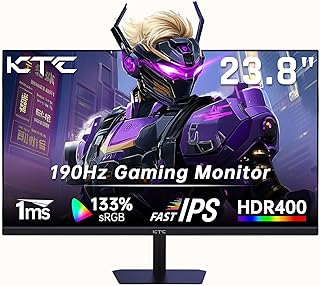
KTC 24 Inch 180Hz/190Hz Gaming Monitor
Why We Love It


27 Inch Curved Gaming Monitor
Why We Love It

Z-EDGE 24inch IPS Gaming Monitor
Why We Love It

FeuVision 27 Inch 180Hz Gmaing Monitor
Why We Love It

Z-EDGE 27inch Gaming Monitor
Why We Love It

Acer Nitro VG240Y 23.8" FHD IPS LCD 1ms 180Hz Monitor with
Why We Love It

GAMEON GOPS27180IPS 27 Inch Gaming Monitor FHD 1080p 180Hz
Why We Love It

KTC 24 inch 1440p Gaming Monitor
Why We Love It

HAW F24IPY 24 Inch Gaming Monitor
Why We Love It
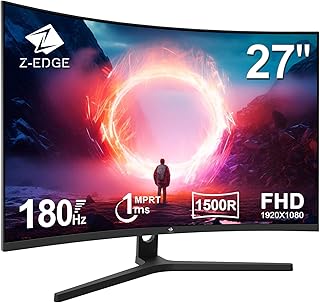
Z-EDGE 27-inch Gaming Monitor - FHD 1080P 180Hz
Why We Love It
Quick Pick
10 Best 180hz Ips Computer Monitor Of 2026
Quick Pick
KTC 24 Inch 180Hz/190Hz Gaming Monitor, FHD PC Computer Monitor H24F8 | with Fast IPS Panel, HDR400, 133% sRGB, Bluelight Filter, 2 HDMI & 1 DP Port, Compatible Freesync and Wall Mountable
27 Inch Curved Gaming Monitor,180Hz, VA Display, QHD 1440P Computer Monitor, 1ms, HDR10,90% DCI-P3, Adaptive Sync, VESA Compatible,Tilt Adjustable
Z-EDGE 24inch IPS Gaming Monitor, FHD 1080P, Max 180Hz,HDR,LED,1ms,UG24F | FreeSync/Frameless/Brightness 350cd/m²/VESA Compatible/5000:1Contrast Ratio/HDMI & DisplayPort/for Game,Office
FeuVision 27 Inch 180Hz Gmaing Monitor, FHD 1080p Monitor, Adaptive Sync | 1ms Response Time, IPS Computer Monitor, 3-Sided Frameless, Ultra Slim, Bluelight Filter, DP*1, HDMI*1
Z-EDGE 27inch Gaming Monitor,IPS,Max 180Hz,QHD 2560×1440,1ms,Black,UG27QF | FreeSync/Frameless/1ms/Brightness 350cd/m²/HDR/VESA Compatible/HDMI & DisplayPort/for Game,Office
Acer Nitro VG240Y 23.8" FHD IPS LCD 1ms 180Hz Monitor with FreeSync - Immersive Gaming and Smooth Visuals
GAMEON GOPS27180IPS 27 Inch Gaming Monitor FHD 1080p 180Hz Fast IPS Computer Monitor, 0.5ms MPRT, HDMI 2.1, HDR, 99% sRGB, G-Sync & FreeSync Compatible, Built-in Speakers, PS5 & Console Ready, Black
KTC 24 inch 1440p Gaming Monitor, QHD 180Hz Monitor with 185Hz Overlocked, 1ms, Fast IPS, Adaptive Sync, HDR400, Height Adjustable, Low Blue Light, Flicker-Free, 2 x HDMI, 1 x DP H24T7
HAW F24IPY 24 Inch Gaming Monitor, FHD (1920×1080) IPS Display, 180Hz Refresh Rate, 0.5ms MPRT, G-Sync & FreeSync Compatible, Built-In Speakers, Flat Screen, PC & Console Ready - Black
Z-EDGE 27-inch Gaming Monitor - FHD 1080P 180Hz, 1ms Response Time, Frameless LED Display, AMD FreeSync - 1x DisplayPort 1.4 & 2x HDMI 2.0 UG27F
Buying Guide: 180hz Ips Computer Monitor
📋 Table of Contents
1What resolution should I look for in an 180Hz IPS computer monitor?
For smooth gaming and multitasking, aim for at least 1080p (Full HD), with 1440p (QHD) or 2K being ideal for higher detail. 4K models exist but may strain performance on less powerful GPUs, so balance resolution with your system's capabilities.
2Is an IPS panel better than TN or VA for gaming?
IPS panels offer superior color accuracy and wide viewing angles, making them great for both gaming and content creation. TN panels have faster response times but worse colors, while VA panels offer deep blacks but slower motion handling. IPS is the best all-rounder for 180Hz monitors.
3What response time is ideal for an 180Hz IPS monitor?
Look for a response time of 1ms (GTG) or lower for competitive gaming to avoid motion blur. While IPS panels traditionally had slower response times, modern models now achieve fast performance without sacrificing color quality or viewing angles.
4Should I prioritize HDR support on an 180Hz IPS monitor?
HDR support enhances contrast and color vibrancy, but it's not essential for gaming unless you're into cinematic experiences. HDR-compatible 180Hz IPS monitors are available, but they may require a compatible GPU and content to fully utilize the feature.
5What size monitor is best for an 180Hz IPS setup?
24- to 27-inch screens are ideal for most gamers and professionals, offering a good balance of immersion and desk space. Larger 32-inch models can be used for productivity or media, but ensure your GPU can handle the resolution and refresh rate without performance drops.
How we choose
Our editors are people who genuinely love testing and writing about products. We compare each product's real-world usability and strengths, then distill what matters most into our own "Why We Love It" points — so you get an honest, at-a-glance sense of what counts before you buy.