10 Best 165hz Curved Computer Monitor Of 2026
165hz Curved Computer Monitor — Reviews, Recommendations & Updated Buying Guide November 2026

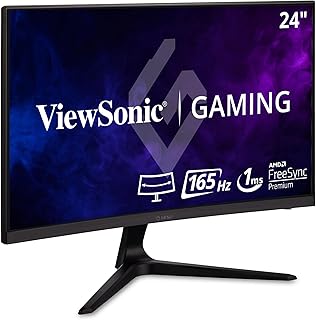
Viewsonic Omni VX2418C 24 Inch 1080p 1ms 165Hz Curved Gaming
Why We Love It

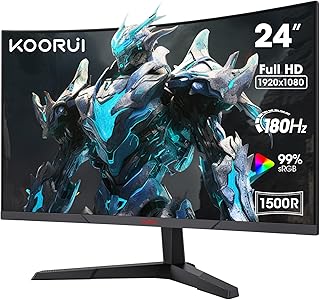
KOORUI 24 Inch Gaming Monitor -FHD 1080P Curved Monitor
Why We Love It

Z-EDGE 24-inch Curved Gaming Monitor
Why We Love It

CRUA 24" Curved Gaming Monitor
Why We Love It

Z-Edge 34" UWQHD 165Hz 1ms Curved IPS Gaming Monitor
Why We Love It

Samsung 32" Odyssey G5 G55C QHD Curved Gaming Monitor
Why We Love It

Z-EDGE 34inch Ultrawide Gaming Monitor
Why We Love It
Samsung 27" Odyssey G5 G55C QHD Curved Gaming Monitor
Why We Love It

27 Inch Curved Gaming Monitor
Why We Love It
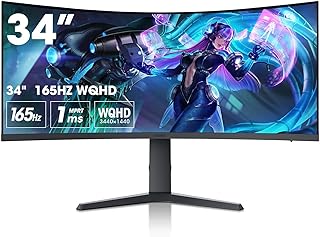
KOORUI 21:9 WQHD 3440 * 1440 4K (HDR 400)34 Inch 1800R
Why We Love It
Quick Pick
10 Best 165hz Curved Computer Monitor Of 2026
Quick Pick
Viewsonic Omni VX2418C 24 Inch 1080p 1ms 165Hz Curved Gaming Monitor with AMD FreeSync Premium, Eye Care, HDMI and DisplayPort
KOORUI 24 Inch Gaming Monitor -FHD 1080P Curved Monitor 165Hz VA 1ms 1500R PC Monitors with Adaptive Sync, HDMI X2 /DP, VESA Compatible, Tilt Adjustable, Eye Care
Z-EDGE 24-inch Curved Gaming Monitor,200Hz,Frameless/FreeSync/HDR,FHD UG24 | MPRT 1ms/16.7 Million Colors/300cd/m²Brightness/LED/VESA/DP1.4 & HDMI2.1 Ports
CRUA 24" Curved Gaming Monitor, 165Hz/200Hz Computer Monitor, FHD 1920x1080, 99% sRGB, AMD FreeSync, Blue Light Filter, for Gaming & Office, Wall Mountable- White
Z-Edge 34" UWQHD 165Hz 1ms Curved IPS Gaming Monitor, FreeSync, 1500R Curvature, UWQHD 3440 * 1440, 96% DCI-P3, 1.07 Colors, 300 cd/㎡, 21:9, Powerful Connections, 2000:1, UG34I-Black
Samsung 32" Odyssey G5 G55C QHD Curved Gaming Monitor, 165Hz refresh rate and 1ms response time (MPRT), 1000R Curved Screen, AMD FreeSync, Middle East Version (New Launch) - LS32CG552EMXUE
Z-EDGE 34inch Ultrawide Gaming Monitor, Curved,165Hz,WQHD 3440x1440,UG34 | FreeSync/1ms/VESA Compatible/PIP&PBP/VA/HDMI & DisplayPort /for Game,Office
Samsung 27" Odyssey G5 G55C QHD Curved Gaming Monitor, 165Hz refresh rate and 1ms response time (MPRT), 1000R Curved Screen, AMD FreeSync, Middle East Version (New Launch) - LS27CG552EMXUE
27 Inch Curved Gaming Monitor,180Hz, VA Display, QHD 1440P Computer Monitor, 1ms, HDR10,90% DCI-P3, Adaptive Sync, VESA Compatible,Tilt Adjustable
KOORUI 21:9 WQHD 3440 * 1440 4K (HDR 400)34 Inch 1800R Curved Gaming Monitor, 165Hz MPRT 1MS (AMD FreeSync Premium Nvidia G-SYNC) Hdmi DP 90% DCI-P3 OSD Roker Computer Gamer Monitors
Buying Guide: 165hz Curved Computer Monitor
📋 Table of Contents
1What resolution should I look for in a 165Hz curved computer monitor?
For a 165Hz curved monitor, 1440p (QHD) or 4K (UHD) resolution is ideal, depending on your budget and viewing distance. QHD offers a balance of sharpness and performance, while 4K provides more detail but may require a more powerful GPU for smooth gaming or video editing.
2Does the curvature of the monitor affect gaming or productivity?
A curved monitor can enhance immersion in gaming and reduce eye strain during long work sessions by mimicking natural human vision. A 1800R or 1500R curvature is common, with smaller radii offering a more pronounced curve that may be better for gaming, while larger radii are more comfortable for general use.
3What panel type is best for a 165Hz curved monitor?
IPS panels are preferred for their wide color gamut and accurate colors, making them great for both gaming and creative work. TN panels offer faster response times but with narrower viewing angles. Look for IPS with a 1ms response time for competitive gaming without motion blur.
4Is a 165Hz refresh rate worth it over 144Hz?
A 165Hz monitor provides smoother motion and better responsiveness than 144Hz, especially in fast-paced games. However, the difference may be subtle unless you're playing at high frame rates (165+ FPS). Ensure your GPU can consistently deliver frames to take full advantage of the higher refresh rate.
5What kind of connectivity ports should I look for?
Look for at least two HDMI 2.1 ports and a DisplayPort 1.4 or higher for high refresh rates and 4K support. USB-C with DisplayPort Alt Mode is also valuable for docking stations or laptops. Multiple ports allow for flexible setup with multiple devices or peripherals.
How we choose
Our editors are people who genuinely love testing and writing about products. We compare each product's real-world usability and strengths, then distill what matters most into our own "Why We Love It" points — so you get an honest, at-a-glance sense of what counts before you buy.