10 Best 14 In 1 Docking Stations Of 2026
14 In 1 Docking Stations — Reviews, Recommendations & Updated Buying Guide November 2026


UGREEN Laptop Docking Station
Why We Love It


Anker Prime Docking Station
Why We Love It

UGREEN Thunderbolt 4 Docking Station
Why We Love It

NOVOO 14 in 1 Docking Station
Why We Love It

MOKiN USB C Docking Station Dual Monitor
Why We Love It

Anker Prime TB5 140W Thunderbolt 5 USB C Dock 14 Port
Why We Love It

WAVLINK DisplayLink Docking Station
Why We Love It
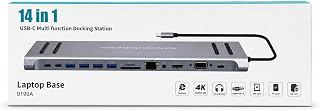
14 in 1 USB-C Multifunction Docking Station
Why We Love It

Selore USB C Docking Station Dual HDMI
Why We Love It

Ejoyous 14 in 1 USB C Docking Station
Why We Love It
Quick Pick
10 Best 14 In 1 Docking Stations Of 2026
Quick Pick
UGREEN Laptop Docking Station, 13-in-1 Triple 4K Display Dock (2 HDMI + DP) | 100W Max PD, 27W Max USB-C, 10Gbps USB-C/A, Ethernet, SD/TF, Audio, for Dell/Lenovo/HP (Windows Only, Included 140W Adapter)
Anker Prime Docking Station, 14-in-1 Laptop Docking Station Dual Monitor | 14-Port with 160W Max Output and Built-In GaN AC-DC Power, Real-Time Smart Interface, Dual 4K Displays for MacBook, Dell, Pho
UGREEN Thunderbolt 4 Docking Station, 13-in-1 40Gbps Max Transfer TB4 Dock | 2x TBT4, Dual 4K@60Hz, Single 8K, 96W Max PD, 20W USBC, 1GbE, SD/TF, Revodok Max Dock for TBT4/3 MacBook and Windows Laptops
NOVOO 14 in 1 Docking Station, USB-C Display on Three Screens, Unique Type-C Output for Video 4K@60Hz, HDMI 4K@60Hz, 2, USB-A 3.2x2, USB C 10Gbps, SD/TF 2.0, Audio, 100WPD
MOKiN USB C Docking Station Dual Monitor, 14 in 1 USB-C Laptop Docking Station USB Type C Hub Multiport Adapter Dongle with 2 HDMI VGA 5 USB SD/TF Audio for Dell/Surface/HP/Lenovo Laptops
Anker Prime TB5 140W Thunderbolt 5 USB C Dock 14 Port | Max Charge, Speed Up to 120Gbps, Amb LED, Cooling System, Up to 8K Display for Thunderbolt 5/4 Laptop.
WAVLINK DisplayLink Docking Station, Dual Monitor for Mac M1/M2/M3/M4 & Windows, 14-in-1 with 100W 2 DP/2 HDMI 4K, SD/TF, 5 USB Ports, Ethernet, Audio
14 in 1 USB-C Multifunction Docking Station, Space Grey | 4K Ultra HD Output, PD 3.0 Charging, SD & TF Card Slots, Gigabit Ethernet, USB 3.0 Support
Selore USB C Docking Station Dual HDMI, 14 in 1 Docking Station Triple Display, USB C Hub with 2 x 4K HDMI, VGA, 10 Gbps 2 x USB C & USB A, Gigabit Ethernet, 100 W PD, SD/Micro SD, 3.5 mm Audio & Mic
Ejoyous 14 in 1 USB C Docking Station, 5 USB 3.0 100W PD (Gray)
Buying Guide: 14 In 1 Docking Stations
📋 Table of Contents
1What types of devices are compatible with 14-in-1 docking stations?
Most 14-in-1 docks support USB-C, USB-A, HDMI, and SD card slots, and are compatible with laptops, tablets, and smartphones. Look for docks with USB4 or Thunderbolt 4 for full compatibility with newer devices and faster data transfer speeds.
2How many simultaneous connections can I realistically use at once?
While 14-in-1 implies many ports, not all can be used simultaneously due to power and bandwidth limits. Prioritize docks with at least 3-4 active ports for video, charging, and peripherals, and check the manufacturer’s spec sheet for confirmed simultaneous usage.
3Is a powered or unpowered dock better for my setup?
Powered docks (with a separate power adapter) are better for high-power devices like 4K monitors or external drives. Unpowered docks work for basic tasks but may struggle with power-hungry peripherals. Choose powered if you plan to connect multiple high-drain devices.
4What video output resolution should I look for?
For 1080p or 4K displays, ensure the dock supports HDMI 2.0 or DisplayPort 1.4. A dock with 4K@60Hz via USB-C is ideal for productivity or media use, while lower resolutions may cause lag or reduced clarity on larger screens.
5Are all 14-in-1 docks built the same quality-wise?
No — cheaper models may use flimsy plastic, underpowered chips, or unreliable port switches. Look for docks with aluminum or reinforced plastic builds, positive user reviews on durability, and a 1-2 year warranty to avoid early failures.
How we choose
Our editors are people who genuinely love testing and writing about products. We compare each product's real-world usability and strengths, then distill what matters most into our own "Why We Love It" points — so you get an honest, at-a-glance sense of what counts before you buy.