10 Best 1080p Curved Gaming Monitors Of 2026
1080p Curved Gaming Monitors — Reviews, Recommendations & Updated Buying Guide November 2026

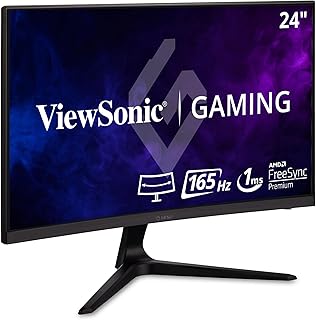
Viewsonic Omni VX2418C 24 Inch 1080p 1ms 165Hz Curved Gaming
Why We Love It


Z-EDGE 24-inch Curved Gaming Monitor
Why We Love It
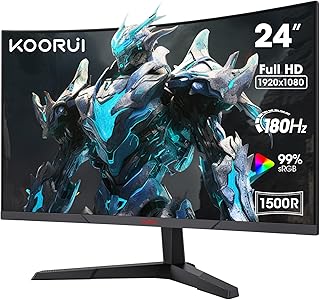
KOORUI 24 Inch Gaming Monitor -FHD 1080P Curved Monitor
Why We Love It
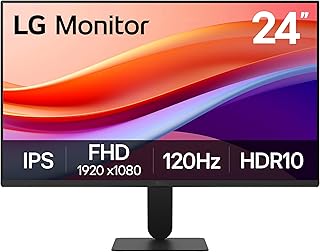
LG 24U411A-B 24-inch Full HD (1920 x 1080) IPS Computer
Why We Love It
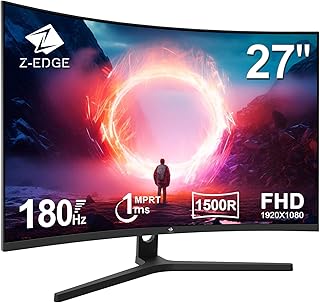
Z-EDGE 27-inch Gaming Monitor - FHD 1080P 180Hz
Why We Love It

Z-Edge 27 inch Curved Gaming Monitor 300Hz Monitor
Why We Love It

GAMEON 27 Inch Gaming Monitor
Why We Love It

KTC 32 inch 240Hz Curved Gaming Monitor 1500R 1080P 125%
Why We Love It

KOORUI 22 Inch, FHD 1080P 100Hz Business Monitor
Why We Love It

Z-EDGE 27-inch Curved Gaming Monitor
Why We Love It
Quick Pick
10 Best 1080p Curved Gaming Monitors Of 2026
Quick Pick
Viewsonic Omni VX2418C 24 Inch 1080p 1ms 165Hz Curved Gaming Monitor with AMD FreeSync Premium, Eye Care, HDMI and DisplayPort
Z-EDGE 24-inch Curved Gaming Monitor,200Hz,Frameless/FreeSync/HDR,FHD UG24 | MPRT 1ms/16.7 Million Colors/300cd/m²Brightness/LED/VESA/DP1.4 & HDMI2.1 Ports
KOORUI 24 Inch Gaming Monitor -FHD 1080P Curved Monitor 165Hz VA 1ms 1500R PC Monitors with Adaptive Sync, HDMI X2 /DP, VESA Compatible, Tilt Adjustable, Eye Care
LG 24U411A-B 24-inch Full HD (1920 x 1080) IPS Computer Monitor, 120Hz, HDR10, Reader Mode, Flicker Safe, HDMI, Slim Stand Base, Black
Z-EDGE 27-inch Gaming Monitor - FHD 1080P 180Hz, 1ms Response Time, Frameless LED Display, AMD FreeSync - 1x DisplayPort 1.4 & 2x HDMI 2.0 UG27F
Z-Edge 27 inch Curved Gaming Monitor 300Hz Monitor, 1ms 16:9 FHD 1080P Frameless Curved Monitor, UG27S Freesync Eye Care, 2×Display Port, 2×HDMI
GAMEON 27 Inch Gaming Monitor, 300Hz FHD 1080p Curved Display, Fast VA 1500R, 0.5ms MPRT / 1ms OD, 4000:1 Contrast, HDR, 98.5% sRGB, FreeSync Adaptive-Sync, Dual HDMI 2.1 & DP 1.4, PC & Console Ready
KTC 32 inch 240Hz Curved Gaming Monitor 1500R 1080P 125% sRGB 1ms | Freesync/G-sync HDR10,HDMI/DP/USB Ports VESA,Tilt Adjustable,Xbox PS5 Switch,Black
KOORUI 22 Inch, FHD 1080P 100Hz Business Monitor, Adaptive-Sync, Ultra-Thin Bezels, Eye Care, Tilt & VESA Mount, HDMI/VGA,Office & Work
Z-EDGE 27-inch Curved Gaming Monitor - 16:9 Full HD 1920x1080, 300Hz Refresh Rate, 1ms Response Time, Frameless LED Display, AMD FreeSync Premium - DisplayPort & HDMI Ports UG27H White | MPRT 1ms/3000:1 Contrast Ratio/HDR/VESA/16.7 Million Colors/HDMI 2.0 x 2 / DP x 2 / Audio x 1
Buying Guide: 1080p Curved Gaming Monitors
📋 Table of Contents
1Does a 1080p resolution work well with a curved monitor?
Yes — 1080p (1920x1080) is best suited for curved monitors 24-27 inches, as larger sizes can make pixels more visible. A curved screen enhances immersion for gaming, but avoid sizes over 28 inches at 1080p to prevent a pixelated look.
2What refresh rate is ideal for competitive gaming?
Look for at least 144Hz for smooth, fast-paced gameplay with minimal motion blur. Higher refresh rates (240Hz) are better for competitive titles like FPS or MOBAs, while 75-100Hz may feel sluggish for action-heavy games.
3Should I prioritize 1ms response time or adaptive sync?
1ms (GtG) is best for fast action to avoid ghosting, but also check for adaptive sync (like FreeSync or G-Sync) to eliminate screen tearing. A 4ms response with adaptive sync can be better than 1ms without it for some games and setups.
4What panel type is best for 1080p curved gaming monitors?
TN panels offer the fastest response times and are great for competitive gaming, while IPS or VA provide richer colors and wider viewing angles. For 1080p curved monitors, TN is often the most practical choice for performance-focused users.
5Are built-in speakers or ports worth considering?
Built-in speakers are usually low-quality and not ideal for gaming, so external speakers or headphones are better. Look for at least two HDMI or DisplayPort inputs and USB hubs for connecting peripherals without extra cables.
How we choose
Our editors are people who genuinely love testing and writing about products. We compare each product's real-world usability and strengths, then distill what matters most into our own "Why We Love It" points — so you get an honest, at-a-glance sense of what counts before you buy.