10 Best 100hz Monitor For Developer Of 2026
100hz Monitor For Developer — Reviews, Recommendations & Updated Buying Guide November 2026


KOORUI E2212F 22 Zoll Monitor Full-HD
Why We Love It


Dahua 27-Inch VA Full HD 1080p 100Hz Borderless Monitor With
Why We Love It

DAHUA 22-Inch VA Full HD 1080p 100Hz Borderless Monitor With
Why We Love It

KOORUI E2412F 24" Computer Monitor
Why We Love It

BenQ GW2490T 60.5 cm IPS 1080p Home Office Monitor
Why We Love It

Dahua LM24-A200Y Monitor, 24" VA Display
Why We Love It

ViewSonic VA270-H 27” Full HD 100Hz Monitor
Why We Love It

Lenovo L24e-40 VA FullHD 100Hz Anti-glare Monitor With HDMI
Why We Love It
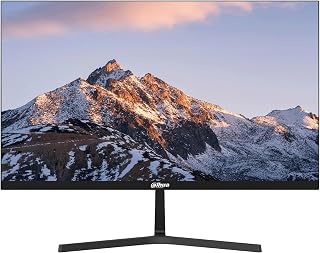
Dahua 24-Inch Full HD 1080p 100Hz Ultra-Thin
Why We Love It

HP S3 Pro 322PE 21.45" FHD Monitor (AK2F1AS#ABV) │ 100Hz
Why We Love It
Quick Pick
10 Best 100hz Monitor For Developer Of 2026
Quick Pick
KOORUI E2212F 22 Zoll Monitor Full-HD, 100 Hz, 5ms, Eye Comfort, sRGB 99% Farbumfangs,(1920 x 1080, HDMI, VGA, Neigbar, VESA 75x75)
Dahua 27-Inch VA Full HD 1080p 100Hz Borderless Monitor With HDMI, VGA, 3 Years Dahua Manufacturer Warranty - (LM27-A200F)
DAHUA 22-Inch VA Full HD 1080p 100Hz Borderless Monitor With HDMI, VGA, 3 Years Dahua Manufacturer Warranty - (LM22-A200Y) (22" with speakers)
KOORUI E2412F 24" Computer Monitor, 100Hz Full HD (1920 x 1080) 99% sRGB | Flicker-Free, Low Blue Light, 3000:1 Contrast, VA Display, 178° Viewing Angle, HDMI, VESA, Daily Productivity & Home Use
BenQ GW2490T 60.5 cm IPS 1080p Home Office Monitor, FHD, 100Hz, Ergo Design, High Refresh Rate, 99% sRGB, VESA MediaSync, B.I, Flicker Free, Low Blue Light, ePaper, Coding Mode, TÜV Rheinland
Dahua LM24-A200Y Monitor, 24" VA Display, FHD Resolution, 100Hz Refresh Rate, 5ms Response Time, 220 nits Brightness, 16 9 Aspect Ratio, Black | LM24-A200Y
ViewSonic VA270-H 27” Full HD 100Hz Monitor
Lenovo L24e-40 VA FullHD 100Hz Anti-glare Monitor With HDMI, VGA, AMD FreeSync,Tilt Stand-Cloud Grey
Dahua 24-Inch Full HD 1080p 100Hz Ultra-Thin, Borderless Monitor With Speakers (Built-in), HDMI, VGA, 3 Years Warranty (Black)
HP S3 Pro 322PE 21.45" FHD Monitor (AK2F1AS#ABV) │ 100Hz Refresh │ 5ms Response │ IPS Panel │ Low Blue Light & Anti-Glare │ HDMI & VGA │ Slim 3-Sided Bezel
Buying Guide: 100hz Monitor For Developer
📋 Table of Contents
1What refresh rate is actually necessary for a developer's monitor?
A 100Hz refresh rate is sufficient for most developers, as it provides smoother scrolling and reduced eye strain during long coding sessions. While higher refresh rates like 144Hz or 165Hz are better for gaming, 100Hz balances performance and cost for tasks like coding, design, and video editing.
2Should I prioritize IPS or TN panel technology for a 100Hz monitor?
IPS panels offer better color accuracy and wider viewing angles, which is ideal for developers working with design tools or multiple windows. TN panels have faster response times but are less common for 100Hz monitors, making IPS the more practical choice for most development workflows.
3What resolution should I look for in a 100Hz monitor for development?
A minimum of 1920x1080 (Full HD) is standard, but 2560x1440 (QHD) or 3840x2160 (4K) can improve multitasking and code readability. However, higher resolutions may require a more powerful GPU and can strain the eyes during long sessions if not paired with a good ergonomic setup.
4Does a 100Hz monitor support adaptive sync technologies like G-Sync or FreeSync?
While not essential for developers, adaptive sync can reduce screen tearing during video playback or when switching between apps. Look for monitors with FreeSync or G-Sync compatibility if you use media tools or work with dynamic content, though it's less critical than resolution and color accuracy.
5What size monitor is best for a developer using a 100Hz display?
A 24- to 27-inch monitor is typically ideal for developers, offering a good balance between screen real estate and desk space. Larger sizes like 32 inches can be useful for multitasking but may require a higher resolution to maintain clarity and prevent eye fatigue during extended use.
How we choose
Our editors are people who genuinely love testing and writing about products. We compare each product's real-world usability and strengths, then distill what matters most into our own "Why We Love It" points — so you get an honest, at-a-glance sense of what counts before you buy.