10 Best 100hz Ips Monitors Of 2026
100hz Ips Monitors — Reviews, Recommendations & Updated Buying Guide November 2026


BenQ 24" Eye-Care Monitor GW2491
Why We Love It


Samsung 24" Essential Monitor S33F FHD (1
Why We Love It

Dell 24 Monitor SE2425HM
Why We Love It

Dell P2425H 24" Full HD (1920x1080) PC Display
Why We Love It

[2025 LAUNCH] BenQ GW2790Q 27” 2K QHD 100Hz IPS Eye-Care
Why We Love It

Samsung 24" Essential Monitor S3 S30GD Full HD Monitor
Why We Love It
DELL 24 Monitor - SE2425HM
Why We Love It
Samsung 22" Essential Monitor S3 S30GD Full HD Monitor
Why We Love It
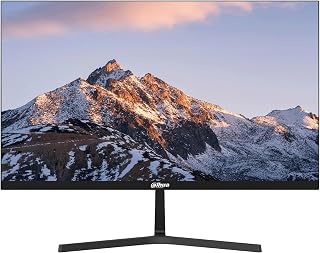
Dahua 24-Inch Full HD 1080p 100Hz Ultra-Thin
Why We Love It

HAW F24IPX 24 Inch Gaming Monitor
Why We Love It
Quick Pick
10 Best 100hz Ips Monitors Of 2026
Quick Pick
BenQ 24" Eye-Care Monitor GW2491, 1080p FHD 100Hz IPS, HDMI, DisplayPort, 1920x1080, Ultra Slim Bezel, TUV-Certified, Flicker-Free, Low Blue Light Plus, Eye-CareU
Samsung 24" Essential Monitor S33F FHD (1,920 x 1,080) 100Hz Refresh Rate 5Ms for Gaming and Office Use, (New Launch) LS24F330EAMXUE
Dell 24 Monitor SE2425HM, FHD, IPS, 100Hz, 250 Nit, Eye Comfort | 23.8in, 5ms, 178° Viewing Angle, Tilt -5° to 21°, Anti-Glare, HDMI, VGA, 72% NTSC, 3H Glass
Dell P2425H 24" Full HD (1920x1080) PC Display, 100Hz, IPS, 5ms, 99% sRGB, USB-C, DisplayPort, HDMI, VGA, 4X USB, 3 Year Warranty, Black
[2025 LAUNCH] BenQ GW2790Q 27” 2K QHD 100Hz IPS Eye-Care Monitor, HDMI, DP, 2560×1440, Ultra Slim Bezel, Eyesafe, VESA MediaSync, Brightness Intelligence Tech (B.I. Gen2), Low Blue Light+, Eye-CareU
Samsung 24" Essential Monitor S3 S30GD Full HD Monitor, 100Hz Refresh Rate, Response Time 5 (GTG), IPS Panel, Game Mode, Eye Saver Mode - LS24D300GAMXUE
DELL 24 Monitor - SE2425HM - 23.8-inch Full HD (1920x1080) 16:9 100Hz Display, IPS Panel, 16.70 Million Colors, Anti-Glare, 1 HDMI / 1 VGA Port, TÜV Rheinland 3-Star*, Comfortview Plus - Black
Samsung 22" Essential Monitor S3 S30GD Full HD Monitor, 100Hz Refresh Rate, Response Time 5 (GTG), IPS Panel, Game Mode, Eye Saver Mode - LS22D300GAMXUE
Dahua 24-Inch Full HD 1080p 100Hz Ultra-Thin, Borderless Monitor With Speakers (Built-in), HDMI, VGA, 3 Years Warranty (Black)
HAW F24IPX 24 Inch Gaming Monitor, FHD (1920×1080) Fast IPS Display, 100Hz Refresh Rate, 0.5ms MPRT, G-Sync & FreeSync Compatible, Built-In Speakers, Flat Screen, PC & Console Ready - Black
Buying Guide: 100hz Ips Monitors
📋 Table of Contents
1Is 100Hz enough for gaming, or should I look for higher refresh rates?
100Hz is great for casual and mid-tier competitive gaming, offering smoother motion than 60Hz. For fast-paced esports like FPS or MOBA, 144Hz or 240Hz is better, but 100Hz is a solid, budget-friendly option for most users and supports G-Sync or FreeSync if needed.
2What panel size and resolution work best with 100Hz IPS monitors?
24–27 inches at 1080p or 1440p is ideal for 100Hz IPS, balancing responsiveness and sharpness. 32-inch 4K IPS at 100Hz can feel sluggish for gaming due to higher pixel count, but great for media and productivity if input lag is low.
3Should I prioritize overdrive or motion blur reduction features?
Yes — overdrive (like ASUS OLED or LG's Clear Mode) reduces ghosting at 100Hz, making fast action clearer. Look for 1ms or 2ms overdrive settings, but be cautious of overshooting, which can cause visual artifacts in some games.
4Does IPS panel type (e.g., AH-IPS, e-IPS) affect performance at 100Hz?
AH-IPS offers better color and viewing angles but slightly slower response times than e-IPS. For 100Hz gaming, e-IPS is often preferred for faster pixel transitions, while AH-IPS is better for photo/video work where color accuracy is key.
5What ports and connectivity should I look for in a 100Hz IPS monitor?
At least one HDMI 2.0 or DisplayPort 1.4 for 100Hz at 1080p/1440p. USB-C with power delivery is a bonus for laptops. Avoid monitors with only HDMI 1.4, as they may cap your refresh rate or resolution below 100Hz on high-end GPUs.
How we choose
Our editors are people who genuinely love testing and writing about products. We compare each product's real-world usability and strengths, then distill what matters most into our own "Why We Love It" points — so you get an honest, at-a-glance sense of what counts before you buy.