10 Best 100hz Curved Computer Monitor Of 2026
100hz Curved Computer Monitor — Reviews, Recommendations & Updated Buying Guide November 2026


LG FHD Curved Monitor (27U421A) - 27” FHD (1920x1080)
Why We Love It


LG 24U421A‑B 24″ FHD (1920×1080) Curved VA Monitor
Why We Love It

Samsung LS24D360GAUXXU 24" Curved FullHD 100Hz 1080p Monitor
Why We Love It

LG 27U421A‑B 27″ FHD (1920×1080) Curved VA Monitor
Why We Love It
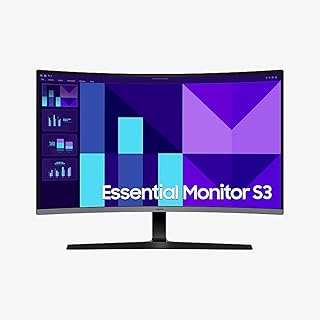
Samsung 32" Essential S3 Curved Full HD Monitor
Why We Love It

Z-Edge 34" UWQHD 165Hz 1ms Curved IPS Gaming Monitor
Why We Love It

Z-Edge 27 inch Curved Gaming Monitor 300Hz Monitor
Why We Love It

Xiaomi Mi Monitor G34WQI
Why We Love It

KOORUI 34 Inch UltraWide Curved Gaming Monitor
Why We Love It

Dell Pro 34 Plus USB-C Hub Monitor -P3425WE |100 Hz
Why We Love It
Quick Pick
10 Best 100hz Curved Computer Monitor Of 2026
Quick Pick
LG FHD Curved Monitor (27U421A) - 27” FHD (1920x1080), 100Hz, sRGB 99%, USB-C, Reader Mode, Flicker Safe, Dynamic Action Sync, Black Stabilizer, Eye Comfort, 3-Side Borderless, Tilt Adjustable
LG 24U421A‑B 24″ FHD (1920×1080) Curved VA Monitor, 100 Hz, 5 ms, HDR10, USB‑C (15 W PD) + HDMI, 3‑Side Borderless Design
Samsung LS24D360GAUXXU 24" Curved FullHD 100Hz 1080p Monitor - 1920x1080, HDMI, VGA
LG 27U421A‑B 27″ FHD (1920×1080) Curved VA Monitor, 100 Hz, 5 ms, HDR10, USB‑C (15 W PD) + HDMI, 3‑Side Borderless, Tilt Stand
Samsung 32" Essential S3 Curved Full HD Monitor, 1500R Curved Screen, 100Hz Refresh Rate, Response Time 4(GTG) Game Mode, Eye Saver Mode - LS32D392GAMXUE
Z-Edge 34" UWQHD 165Hz 1ms Curved IPS Gaming Monitor, FreeSync, 1500R Curvature, UWQHD 3440 * 1440, 96% DCI-P3, 1.07 Colors, 300 cd/㎡, 21:9, Powerful Connections, 2000:1, UG34I-Black
Z-Edge 27 inch Curved Gaming Monitor 300Hz Monitor, 1ms 16:9 FHD 1080P Frameless Curved Monitor, UG27S Freesync Eye Care, 2×Display Port, 2×HDMI
Xiaomi Mi Monitor G34WQI, 34 Inch Curved Gaming Monitor, Black, EU ELA5454EU, QHD Ultra Wide 1440p
KOORUI 34 Inch UltraWide Curved Gaming Monitor, WQHD 180Hz, HDR400 | 3440x1440, 1000R VA Panel, 1ms MPRT, Adaptive Sync, 90% DCI-P3, PiP/PbP, DP 1.4, HDMI 2.0, VESA 75 × 75 mm
Dell Pro 34 Plus USB-C Hub Monitor -P3425WE |100 Hz | 3800R Curve | IPS Panel |UWQHD |350 cd/m2| 99% sRGB| 1500:1 Contrast | Ports: 1x HDMI, 1xDP, 6 x USB 3.2 Ports, 1x LAN Port| 90 W PD
Buying Guide: 100hz Curved Computer Monitor
📋 Table of Contents
1What resolution should I look for in a 100Hz curved computer monitor?
For most users, 1080p (Full HD) is sufficient, but 1440p (QHD) or 4K (UHD) offers sharper text and more screen real estate. Higher resolutions are best for graphic design, video editing, or multitasking, but may require a more powerful GPU for smooth performance.
2Is a 100Hz refresh rate enough for gaming or video editing?
A 100Hz refresh rate is suitable for casual gaming and general use, but for competitive gaming or high-speed video editing, consider 144Hz or higher. 100Hz provides smoother motion than 60Hz, but may not be as responsive as higher refresh rates in fast-paced scenarios.
3What curvature radius is ideal for a 100Hz curved monitor?
A curvature radius of 1800R to 2400R is typically ideal for most users, offering a wide field of view without causing eye strain. Smaller radii (like 1500R) may be too immersive for long sessions, while larger radii feel more like a flat screen.
4Should I prioritize IPS or VA panel technology for a curved monitor?
IPS panels offer better color accuracy and wider viewing angles, making them ideal for design work and multimedia. VA panels provide deeper blacks and higher contrast but may suffer from slower response times, which can cause motion blur in fast-paced content.
5What kind of connectivity ports should I look for?
Look for at least one HDMI 2.0 or DisplayPort 1.4 port for high-resolution and high-refresh-rate support. USB-C with DisplayPort Alt Mode is a bonus for docking and charging. Multiple ports allow for easier setup with multiple devices and peripherals.
How we choose
Our editors are people who genuinely love testing and writing about products. We compare each product's real-world usability and strengths, then distill what matters most into our own "Why We Love It" points — so you get an honest, at-a-glance sense of what counts before you buy.